How Do You Relink a Key Fob After Replacing the Battery
Relinking your key fob after a battery swap is easier than most people think. Whether you drive a Toyota, Honda, Ford, or Chevy, the process usually takes just a few minutes. This guide walks you through every step so your key fob reprogramming goes smoothly and you get back on the road fast.
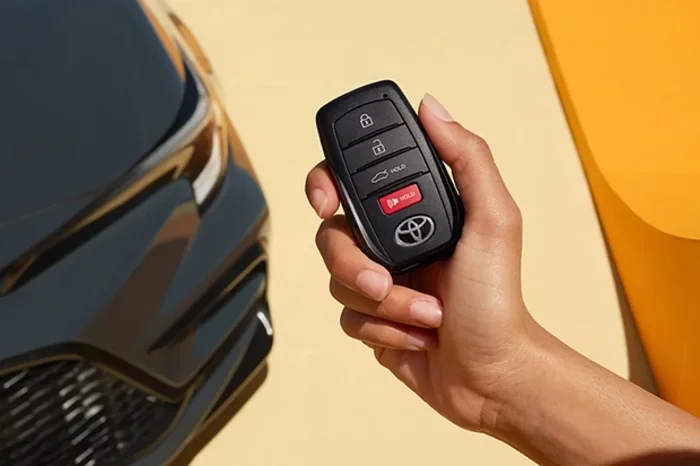
You just popped open your key fob, swapped out the old battery, and snapped it back together. But when you press the button, nothing happens. The car key not working after a battery change is one of the most common surprises car owners face. It feels frustrating, but here is the good news: relinking your remote key fob is usually a straightforward process you can do right at home.
Many people assume they need to visit a dealership or pay a locksmith for this simple fix. That is far from the truth. In most cases, the key fob reprogramming process takes just a few minutes and requires nothing more than your car keys and a little patience. This guide breaks down the entire process in plain, easy-to-follow steps.
We will cover why the fob loses its connection, how to relink it for different car brands, common mistakes to avoid, and tips to keep your keyless entry system working perfectly for years. Whether your push button start fob stopped responding or your car lock remote just needs a refresh, you are in the right place.
Key Takeaways
- Relinking is quick: Most key fobs reconnect to your car in under 10 minutes.
- No dealer needed: You can handle the key fob reprogramming yourself at home.
- Battery choice matters: Always use the correct battery type, typically a CR2032, for reliable key fob signal strength.
- Step-by-step process: The general method involves cycling the ignition, pressing buttons, and waiting for a confirmation light.
- Troubleshooting helps: If the fob still won’t link, simple fixes like repositioning the antenna or resetting the system often solve the problem.
📑 Table of Contents
- Why Does a Key Fob Lose Its Link to the Car?
- How to Relink a Key Fob: Step-by-Step Guide
- Brand-Specific Key Fob Relinking Instructions
- Common Mistakes When Relinking a Key Fob
- Quick Tips for a Successful Key Fob Relink
- When Should You Seek Professional Help?
- How to Prevent Key Fob Signal Problems in the Future
- Key Takeaways
- Frequently Asked Questions
- Conclusion
Why Does a Key Fob Lose Its Link to the Car?
Understanding the problem helps you solve it faster. When you replace the battery inside a key fob, the device temporarily forgets its pairing with the vehicle. Think of it like resetting a Bluetooth connection on your phone. The fob still has the right code inside it, but the car does not recognize it anymore until you go through the linking process again.
Several factors can cause a key fob signal loss:
- Battery replacement: Cutting power to the fob clears the stored pairing data.
- Low battery: A dying battery weakens the key fob signal before it dies completely.
- Electromagnetic interference: Nearby electronics can sometimes disrupt the fob pairing process.
- Old or damaged fob: Wear and tear over time can affect the internal antenna and proximity sensor.
- Software glitch: Rarely, the car’s computer needs a simple reset to detect the fob again.
Most of the time, the culprit is simply the battery swap. The good news is that fixing it does not require any special tools or technical skills. You just need to follow the right steps for your specific vehicle.
How to Relink a Key Fob: Step-by-Step Guide
The general process for key fob reprogramming follows a similar pattern across most car brands. However, each manufacturer has slight variations. Below, we walk you through the most common method used by popular brands like Toyota, Honda, Ford, and Chevrolet.
Step 1: Get Inside and Close All Doors
Start by sitting in the driver’s seat. Make sure all doors, the trunk, and the hood are completely closed. Some cars will not enter fob pairing mode if a door is open. This is a safety feature designed to prevent accidental reprogramming while you are working on the vehicle.
Insert your physical key into the ignition. If your car uses a push button start system, keep the key fob pressed against the start button or placed in the designated key slot.
Step 2: Cycle the Ignition
Turn the ignition from the OFF position to the ON position. Do not start the engine. Just move it to the ON or ACC setting. Wait about five seconds. Then turn it back to OFF. Repeat this cycle two more times so you end up in the ON position for the third time.
This cycling action tells the car’s computer that you are trying to enter the key fob reset mode. On many vehicles, the doors will lock and unlock automatically, or the dashboard lights will flash to confirm you are in pairing mode.
Step 3: Press the Fob Buttons
While still in the ON position, press and hold the LOCK and UNLOCK buttons on your remote key fob simultaneously. Hold them for about 15 seconds. Some models require you to press the buttons in a specific sequence instead of holding both at once.
You should hear a chime, see a flash of the lights, or notice the doors locking and unlocking. This is your signal that the car has accepted the fob again.
Step 4: Turn the Ignition Off and Test
Turn the ignition back to the OFF position. Remove the key from the ignition. Walk away from the car and test the key fob by pressing the LOCK and UNLOCK buttons. If the doors respond, congratulations, you have successfully relinked your fob!
Step 5: Repeat for Additional Fobs
If you have more than one key fob, repeat the entire process for each one. Most cars can store multiple fob pairings, so adding extras is just as easy. Simply repeat Steps 1 through 4 for each additional fob.
For a deeper look at vehicle weight and how it relates to key fob performance, check out this guide on what makes a car heavy and how vehicle specs affect accessories.
Brand-Specific Key Fob Relinking Instructions
Every car brand has its own quirks when it comes to key fob reprogramming. Below are the most common instructions for popular manufacturers. Always refer to your car manufacturer manual for the most accurate steps.
Toyota and Lexus
Toyota vehicles use a fairly simple relinking process. With the door closed, insert the key and cycle the ignition from OFF to ON five times within 10 seconds. The doors should lock and unlock to confirm you are in programming mode. Then press any button on the key fob within 40 seconds. The doors will lock again to confirm the fob has been accepted.
Honda and Acura
For Honda models, turn the ignition to the ON position (second notch) without starting the engine. Within five seconds, press the LOCK or UNLOCK button on the fob. The doors should lock to confirm the pairing. Honda vehicles can usually store up to three remote key fob units using this method.
Ford and Lincoln
Ford uses a slightly different approach. Turn the ignition from OFF to RUN eight times within 10 seconds, with the eighth time ending on RUN. The door locks will cycle to indicate programming mode. Press any button on the key fob within 20 seconds. Repeat for additional fobs. This process is sometimes called the fob pairing process among Ford owners.
Chevrolet and GMC
GM vehicles require you to hold the LOCK and UNLOCK buttons on the key fob for about six seconds while the ignition is in the ON position. Then release the buttons and turn the ignition to ACC. The doors will lock and unlock to confirm the fob has been reprogrammed.
It is worth noting that some newer models from all brands use a proximity sensor and may require placing the fob in a specific location near the steering column or center console during the relinking process. Always double-check your owner’s manual for model-specific details.
Common Mistakes When Relinking a Key Fob
Even when you follow the steps carefully, small mistakes can cause the process to fail. Here are the most common errors people make when trying to sync key fob to car:
- Not closing all doors: This is the number one reason the relinking process fails. Double-check every door and the trunk before you start.
- Timing issues: Many key fob reprogramming processes have strict time windows. If you take too long between steps, the car exits pairing mode and you need to start over.
- Using the wrong battery: Always match the battery type specified for your fob. A CR2032 battery is the most common, but some fobs use CR2025 or other types. Using the wrong battery can cause weak key fob signal and pairing failures.
- Standing too far from the car: Keep the fob close to the vehicle during the entire process. The key fob range issues can interfere with the initial pairing signal.
- Rushing through the steps: Patience is key. Follow each step calmly and give the car time to respond before moving to the next step.
Avoiding these mistakes will save you a lot of frustration. Most failed attempts are simply due to one of these small oversights.
Quick Tips for a Successful Key Fob Relink
Here are some expert-backed tips that make the key fob reprogramming process smoother and faster:
- Read the manual first: Even a quick scan of the relevant section in your car manufacturer manual can save you from guessing.
- Use a fresh battery: Always install a brand-new battery when relinking. A partially used battery can cause intermittent key fob signal loss even after successful pairing.
- Stay close to the car: Keep the fob within arm’s reach during the entire process, especially near the keyless entry system antenna located inside the cabin.
- Try the backup method: If the standard process fails, try placing the fob directly on the start button or in the wireless charging pad (if equipped). Some vehicles use a proximity sensor that needs the fob in direct contact.
- Replace both fobs at once: If you have two fobs, relink both during the same session. This ensures they stay in sync with each other and the vehicle.
- Check for interference: Remove other electronic devices from the ignition area and the fob before starting the fob pairing process.
These small adjustments can make a big difference, especially if you have tried and failed before. Sometimes it is just a matter of positioning or timing.
When Should You Seek Professional Help?
Most key fob reprogramming tasks are DIY-friendly. But there are situations where professional help makes sense:
- Multiple failed attempts: If you have tried the process three or more times without success, there may be an underlying electrical issue.
- Damaged fob: If the fob was dropped, exposed to water, or physically damaged, the internal antenna or circuit board may need replacement.
- Aftermarket fob compatibility: Universal or aftermarket remote key fob units sometimes require additional programming steps that differ from the factory process.
- Immobilizer issues: The vehicle immobilizer system can sometimes prevent the fob from linking. This requires specialized diagnostic equipment to resolve.
For more information on vehicle specifications and how they relate to accessories like key fobs, visit this resource on vehicle weight specifications that can help you understand your car better.
In these cases, a dealership or qualified locksmith can run diagnostics and handle the relinking with specialized tools. It costs a bit more, but it saves time and prevents further complications.
How to Prevent Key Fob Signal Problems in the Future
Once you have successfully relinked your key fob, you want to keep it working reliably. Here is how to maintain your keyless entry system and avoid future issues:
- Replace the battery every 1 to 2 years: Do not wait until the fob stops working. Proactive battery replacement prevents sudden signal loss.
- Use quality batteries: Stick with trusted brands like Duracell or Energizer for consistent power output.
- Keep the fob dry: Moisture can damage the internal circuit board and weaken the key fob signal over time.
- Store the fob properly: Avoid placing the fob near strong magnets, microwaves, or other sources of electromagnetic interference.
- Clean the contacts: Periodically open the fob and clean the battery contacts with a dry cloth to ensure a strong connection.
Simple maintenance habits like these extend the life of your key fob and keep the fob pairing process from becoming a regular chore.
Key Takeaways
- Relinking is quick: Most key fobs reconnect to your car in under 10 minutes.
- No dealer needed: You can handle the key fob reprogramming yourself at home.
- Battery choice matters: Always use the correct battery type, typically a CR2032, for reliable key fob signal strength.
- Step-by-step process: The general method involves cycling the ignition, pressing buttons, and waiting for a confirmation light.
- Troubleshooting helps: If the fob still won’t link, simple fixes like repositioning the antenna or resetting the system often solve the problem.
Frequently Asked Questions
Can I relink a key fob without going to the dealership?
Yes, in most cases you can relink your key fob at home using the steps outlined in your owner’s manual. The process is designed to be user-friendly and does not require any special equipment. Dealership visits are only necessary for complex issues or if the standard relinking method fails after multiple attempts.
How long does it take to relink a key fob?
The entire key fob reprogramming process typically takes between 5 and 15 minutes. The exact time depends on your car brand and model. Following the steps carefully and without rushing will help you complete the process on the first try.
What battery type do most key fobs use?
The vast majority of remote key fob units use a CR2032 battery. This is a standard, widely available coin-cell battery. However, some models use CR2025 or other variants, so always check your fob’s battery compartment or your vehicle’s manual before purchasing a replacement.
Why does my key fob work sometimes but not others?
Intermittent key fob signal loss usually points to a low battery, interference from nearby electronics, or a worn-out internal antenna. Replacing the battery and keeping the fob away from other devices often resolves this issue. If the problem persists, it may be time to sync key fob to car again or inspect the fob for physical damage.
Can I relink two key fobs at the same time?
You should relink each fob individually, but you can do both back-to-back in the same session. Most vehicles allow multiple fob pairing process entries, so go through the steps once for each fob. This ensures both fobs are properly recognized by the car’s system.
What should I do if my key fob still won’t link after following all the steps?
If the standard relinking process does not work, try placing the fob directly against the start button or the designated programming area. Some vehicles have a proximity sensor that requires close contact. If that also fails, consult your car manufacturer manual for alternative methods or contact a professional locksmith or dealership for assistance.
Conclusion
Relinking your key fob after replacing the battery is a skill every car owner should have. It saves time, money, and the hassle of scheduling a dealership appointment. With the right steps and a little patience, you can get your car lock remote working again in minutes.
Remember to use the correct battery, follow the timing carefully, and avoid the common mistakes we highlighted. If you run into trouble, the troubleshooting tips and professional guidance sections have you covered. Your key fob is a small device that plays a big role in your daily driving experience, so taking a few minutes to maintain it properly goes a long way.
Now that you know how to handle key fob reprogramming on your own, you are empowered to tackle this common car care task with confidence. Keep this guide bookmarked for future reference, and share it with friends who might be dealing with the same issue. Your key fob will thank you for it.