Why Cant I Connect My Phone to My Car With Bluetooth
Why Can’t I Connect My Phone to My Car With Bluetooth is one of the most common tech frustrations drivers face today. Whether your phone won’t pair, keeps disconnecting, or refuses to stream audio, the root causes are usually simple and fixable. This guide walks you through every major reason your Bluetooth connection fails and gives you clear, step-by-step solutions. You will learn about compatibility issues, software glitches, settings mistakes, and hardware problems that block your car stereo connectivity. By the end, you will know exactly how to get your wireless connection working again.
There is nothing more frustrating than climbing into your car, ready to hit the road, and discovering your Bluetooth connection simply will not work. You tap pair. Nothing happens. You try again. Still nothing. The question Why Can’t I Connect My Phone to My Car With Bluetooth echoes in your mind as you fumble with cables and settings.
The good news is that this problem is incredibly common, and the fix is usually simpler than you think. Whether you drive a new vehicle with a cutting-edge infotainment system or an older ride with a basic car stereo, connection hiccups happen to everyone. The reasons range from simple software glitches to deeper compatibility mismatches. This article breaks down every major cause and gives you real, actionable fixes you can try right now.
By the time you finish reading, you will understand exactly what is blocking your wireless connection and how to remove that block. You will also learn how to prevent these problems from happening again. Let us dive into the world of car Bluetooth troubleshooting and get you back on the road with music, calls, and navigation flowing seamlessly from your phone to your speakers.
Key Takeaways
- Restart Both Devices First: A simple reboot of your phone and car system resolves the majority of Bluetooth pairing issues.
- Check Compatibility: Older car stereos and newer phones may not support the same Bluetooth version, causing connection failures.
- Clear Paired Devices List: Removing old pairings frees up slots and eliminates conflicting device pairing data.
- Update Software Regularly: Outdated infotainment system firmware or phone operating systems are a leading cause of sync problems.
- Distance and Interference Matter: Bluetooth range limits and signal interference from other electronics can block your connection.
- Reset Network Settings: Clearing your phone’s network settings often fixes persistent phone sync issues.
- Seek Help When Needed: Some problems require a dealer visit or professional car audio troubleshooting.
📑 Table of Contents
- Common Reasons Your Phone Will Not Connect to Your Car
- How to Fix Bluetooth Pairing Problems Step by Step
- Phone and Car Compatibility Issues
- Software and Firmware Solutions
- When to Seek Professional Help
- Preventing Connection Problems in the Future
- Quick Tips for Better Bluetooth Performance
- Conclusion
Common Reasons Your Phone Will Not Connect to Your Car
The first step in fixing any problem is understanding what caused it. When it comes to Bluetooth pairing failures, several culprits show up again and again. Let us look at the most frequent reasons your phone sync issues keep popping up.
Bluetooth Is Turned Off or Not Visible
This sounds obvious, but it happens more often than you would think. Sometimes a quick restart of your phone turns Bluetooth off without you noticing. Your car’s infotainment system might also be set to a mode where it is not discoverable. Both devices need to be actively searching for each other for device pairing to work.Check your phone’s quick settings panel first. Make sure the Bluetooth icon is lit up. Then go into your car’s settings and confirm the system is in pairing mode. On most vehicles, you hold down the Bluetooth button on the steering wheel or the infotainment screen for a few seconds until it says “Searching” or “Discoverable.”
Your Phone Is Already Connected to Another Device
Your phone can only maintain a limited number of active Bluetooth connections at once. If your phone is still connected to your headphones, a smartwatch, or a tablet, it might not prioritize connecting to your car. This is one of the sneakiest reasons behind car stereo connectivity problems.
Try turning off Bluetooth on all other devices nearby. Then attempt the connection again. This simple step resolves the issue for many drivers who never realize another device was hogging the connection.
Too Many Paired Devices in Memory
Your car’s Bluetooth system can only store a certain number of paired devices. Once that list fills up, new device pairing attempts may fail or cause random disconnections. This is especially common in family vehicles where multiple phones connect regularly.
Go into your car’s Bluetooth settings and delete any devices you no longer use. Keep the list clean and limited to the devices you actually drive with. This frees up memory and reduces confusion during the pairing process.
How to Fix Bluetooth Pairing Problems Step by Step
If your wireless connection is not working, do not panic. Follow these proven steps in order, and you will solve the problem most of the time.
Step One: Restart Both Devices
The oldest trick in the book is also the most effective. Turn off your phone completely. Then turn off your car’s ignition and wait about 30 seconds. Restart your car and turn your phone back on. This clears temporary glitches in both the phone Bluetooth connection and your vehicle’s infotainment system.
Many drivers skip this step and jump straight to complex fixes. Restarting both devices resets the Bluetooth radio on each end and clears minor software hiccups that block communication. It takes less than a minute and solves the problem more often than any other fix.
Step Two: Delete and Re-Pair the Connection
If a simple restart does not work, the next move is to remove the existing pairing data from both devices. On your phone, go to Bluetooth settings, find your car’s name, and select “Forget This Device” or “Unpair.” On your car’s system, find your phone in the paired devices list and delete it too.
Now start fresh. Turn Bluetooth off on your phone, wait a few seconds, and turn it back on. Put your car back into pairing mode and search for available devices. Select your car from the list on your phone. Enter the PIN if prompted, which is often 0000 or 1234. This fresh start eliminates corrupted pairing data that causes persistent phone sync issues.
Step Three: Clear the Bluetooth Cache on Your Phone
Android phones store temporary data for Bluetooth connections in a cache. Over time, this cache can become corrupted and cause connection failures. Clearing it is a powerful fix that many people overlook.
Go to Settings, then Apps, find the Bluetooth Share app, and tap Storage. Select Clear Cache. On iPhones, you can reset network settings by going to Settings, General, Transfer or Reset iPhone, and then Reset Network Settings. This clears all saved Wi-Fi and Bluetooth pairings, so you will need to reconnect your devices afterward.
Step Four: Check for Signal Interference
Bluetooth operates on the 2.4 GHz frequency, which is shared by many household and car electronics. Signal interference from USB cables, phone chargers, or even other wireless devices can disrupt your wireless connection.
Try unplugging unnecessary USB devices from your car. Move your phone away from metal objects or electronic equipment. If you are in a crowded parking lot with dozens of other cars, Bluetooth interference from nearby vehicles can also cause problems. Try moving your car to a less crowded area and attempt pairing again.
Phone and Car Compatibility Issues
Not all phones work perfectly with all car systems. Device compatibility plays a huge role in whether your Bluetooth connection will work smoothly. Let us look at where compatibility problems come from and how to handle them.
Bluetooth Version Mismatch
Bluetooth versions have evolved significantly over the years. Older car stereos may only support Bluetooth 2.0 or 3.0, while modern phones use version 5.0 or newer. These version differences can cause pairing failures or limited functionality.
For example, an older car stereo might not support high-quality audio streaming codecs that newer phones use. The result is a connection that works for calls but fails for music, or vice versa. Check your car’s manual or the manufacturer’s website to find out which Bluetooth version your infotainment system supports.
Operating System Conflicts
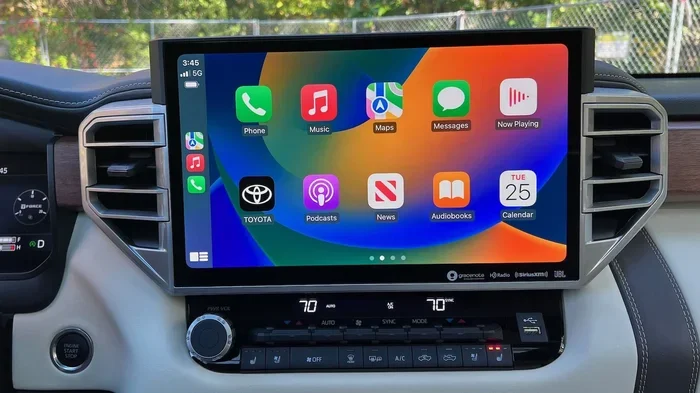
Android and iPhone devices handle Bluetooth pairing differently. Some car stereos work great with one operating system but struggle with the other. Android Auto and Apple CarPlay are excellent features, but they require specific versions of your phone’s operating system to work properly.
If you recently updated your phone’s operating system, the new software might not be fully compatible with your car’s older infotainment system. Check for car software updates from the manufacturer. Sometimes a simple update from the dealer fixes these operating system conflicts and restores smooth car stereo connectivity.
Phone Storage and Memory Problems
Your phone needs enough free memory to maintain a stable Bluetooth connection. When your phone’s storage is nearly full, background processes like Bluetooth syncing can get starved of resources and fail. This is an overlooked cause of phone sync issues that affects many users.
Delete unused apps, clear old photos, and free up some space on your phone. Then try connecting again. You might be surprised at how much a full storage situation can affect your wireless connection performance.
Software and Firmware Solutions
Outdated software is one of the top causes of Bluetooth connection failures. Keeping both your phone and your car’s system up to date is essential for smooth operation.
Update Your Phone’s Software
Phone manufacturers regularly release updates that fix Bluetooth bugs and improve device pairing stability. If your phone has not been updated in a while, check for the latest version now.
On iPhone, go to Settings, General, and Software Update. On Android, go to Settings, System, and Software Update. Install any available updates and restart your phone. These updates often include patches specifically for Bluetooth connectivity problems.
Update Your Car’s Infotainment System
Car manufacturers also release firmware updates for their infotainment systems. These updates can fix Bluetooth pairing issues, add new features, and improve overall stability. Check your car manufacturer’s website or visit your local dealer to see if an update is available for your vehicle.
Some newer cars support over-the-air updates, which you can download directly through the car’s system. Older models may require a visit to the dealership. Either way, keeping your car’s software current is one of the best ways to prevent car Bluetooth troubleshooting headaches.
Reset Network Settings on Your Phone
If updates and restarts do not solve the problem, resetting your phone’s network settings is the next logical step. This clears all saved Wi-Fi passwords, Bluetooth pairings, and cellular settings, giving you a clean slate.
Go to your phone’s settings and find the reset option. Confirm the reset and wait for your phone to restart. You will need to reconnect to your Wi-Fi network and re-pair your car. But this deep reset often fixes stubborn connection problems that nothing else can touch.
When to Seek Professional Help
Most Bluetooth connection issues resolve with the steps above. But sometimes the problem is deeper and requires professional attention. Knowing when to seek help saves you time and frustration.
Signs Your Car’s Bluetooth Module May Be Failing
If your car’s Bluetooth worked perfectly before and suddenly stopped connecting to every device, the Bluetooth module inside the car might be failing. Other signs include frequent disconnections during calls, audio cutting in and out, or the system not showing any Bluetooth devices in the search list at all.
A failing module usually means a hardware problem that software fixes cannot resolve. In this case, a visit to your dealer or a qualified car audio specialist is the best next step. They can diagnose whether the module needs replacement or if another car stereo component is at fault.
Dealer vs. Aftermarket Solutions
If your car is still under warranty, start with the dealer. They can run diagnostics and often fix Bluetooth issues at no cost. If the warranty has expired, consider an aftermarket Bluetooth adapter or a new car stereo with modern wireless capabilities.
Aftermarket adapters plug into your car’s audio system and provide fresh Bluetooth connectivity without replacing the entire head unit. They are affordable and easy to install. Just make sure the adapter you choose is compatible with your car’s audio system and supports the features you need, like music streaming and hands-free calling.
Consult Your Vehicle Manual
Your vehicle’s manual is a valuable resource for car Bluetooth troubleshooting. It contains specific instructions for pairing mode, supported features, and known limitations. Many drivers never open their manual, but it can answer questions that hours of online searching cannot.
Look for the section on Bluetooth or wireless connectivity. You will find details about how many devices your system supports, what Bluetooth profiles are available, and any special steps needed for successful device pairing. If you no longer have the physical manual, most manufacturers offer free digital versions on their websites.
Preventing Connection Problems in the Future
Once you get your Bluetooth connection working again, you want to keep it working. A few simple habits can prevent most phone sync issues from returning.
Keep Both Devices Updated
Make it a habit to check for software updates on both your phone and your car every few months. Updates fix bugs, improve Bluetooth performance, and add support for new features. Setting your phone to auto-update ensures you never miss an important fix.
Limit Paired Devices
Only keep devices in your car’s Bluetooth memory that you actually use regularly. A cluttered paired devices list leads to confusion and connection conflicts. Clean it out every few months to keep your car stereo connectivity running smoothly.
Avoid Using Your Phone While It Is Charging During Pairing
Some phones behave unpredictably when they are low on battery or heavily taxing the processor during Bluetooth pairing. Make sure your phone has at least 30% battery before attempting to connect to your car. If possible, avoid using demanding apps while the connection is being established.
Store Your Phone in a Good Location
Where you place your phone in the car matters for Bluetooth range and signal strength. Keep it near the center console or on the dashboard where it has a clear line of sight to the car’s antenna. Storing your phone in the glove box or under a seat can weaken the signal and cause dropouts.
Quick Tips for Better Bluetooth Performance
- Turn off other wireless devices in your car before pairing to reduce signal interference.
- Keep your phone case off during pairing, as some metal or magnetic cases block the Bluetooth signal.
- Restart your car’s infotainment system by holding the power button for 10 seconds if it becomes unresponsive.
- Use a high-quality USB cable if you also connect via USB connection, as cheap cables can cause power and data issues.
- Forget old pairings regularly to keep your device pairing list clean and efficient.
- Check your car manufacturer’s support page for known Bluetooth issues with your specific model and year.
Conclusion
Dealing with Why Can’t I Connect My Phone to My Car With Bluetooth is a frustrating experience, but it is almost always solvable. The most common causes are simple software glitches, outdated firmware, and minor settings mistakes that any driver can fix at home. By following the steps in this guide, you can troubleshoot your Bluetooth pairing problems systematically and get back to enjoying hands-free calling, navigation, and music streaming on the road.
Remember to keep your devices updated, manage your paired device list, and seek professional help when the problem goes beyond software fixes. A little regular maintenance goes a long way toward preventing future phone sync issues and keeping your car stereo connectivity strong. The next time your wireless connection acts up, you will know exactly what to do. Stay patient, follow the steps, and you will be back to driving with full Bluetooth connectivity in no time.
Frequently Asked Questions
Why does my phone keep disconnecting from my car Bluetooth?
Frequent disconnections usually happen because of signal interference, outdated software, or a full paired devices list. Try clearing old pairings, updating both your phone and car firmware, and moving your phone closer to the car’s Bluetooth antenna. If the problem persists, resetting your phone’s network settings often fixes the issue.
Can I connect my phone to my car without Bluetooth?
Yes, you can use a USB connection, an auxiliary cable, or an aftermarket Bluetooth adapter to connect your phone to your car. Some vehicles also support Apple CarPlay or Android Auto through a USB cable, which gives you a more stable connection than wireless Bluetooth in many cases.
How do I put my car in Bluetooth pairing mode?
The process varies by car manufacturer, but generally you go to your car’s infotainment settings, select Bluetooth, and choose Pairing Mode or Discoverable Mode. Some cars have a dedicated Bluetooth button on the steering wheel or the audio unit. Check your vehicle manual for the exact steps for your specific model.
What is the best Bluetooth version for car connectivity?
Bluetooth 5.0 and newer offer the best range, audio quality, and stability for car connectivity. However, most modern cars with Bluetooth 4.0 or higher work well with current phones. If your car has an older Bluetooth version, consider an aftermarket adapter that supports the latest Bluetooth standards.
Does a phone case affect Bluetooth connectivity in cars?
Yes, some phone cases, especially those with metal plates or magnetic mounts, can block or weaken the Bluetooth signal. Remove thick or metal cases during Bluetooth pairing and while driving to ensure a strong and stable wireless connection between your phone and your car.
When should I take my car to a dealer for Bluetooth problems?
Take your car to a dealer if you have tried all the software fixes and your Bluetooth still does not work with any phone. Also seek help if you notice a hardware issue, such as the Bluetooth option missing from your car’s menu entirely or frequent electrical problems alongside the connection failure. The dealer can run diagnostics and check whether the Bluetooth module needs replacement.