Can I Unlock My Toyota With My Phone Instead of Keys
Yes, you can unlock your Toyota with your phone using the Toyota app and digital key technology. This phone-based car access works on select Toyota models and lets you start, lock, and unlock your vehicle without ever touching a key fob. It is fast, secure, and increasingly popular among Toyota owners who want a smart keyless entry experience.
Imagine walking toward your Toyota with your hands full of groceries. You tap your phone against the door handle, and the car unlocks instantly. No fumbling for keys. No digging through pockets. This is not science fiction. Can I unlock my Toyota with my phone? The short answer is yes, and it is easier than most people think.
Toyota has embraced digital key technology in recent years, giving owners the ability to use their smartphones as a fully functional car key. Whether you want to unlock your car with your phone, start the engine remotely, or share temporary access with a family member, the options are growing fast. In this guide, we walk you through everything you need to know about using your phone to access your Toyota without traditional keys.
The idea of phone-based car access feels futuristic, but it is already here. Toyota worked hard to make this technology reliable, secure, and easy to use. And the best part? You do not need to be a tech expert to set it up. If you own a compatible Toyota, you can be up and running in under 15 minutes.
Key Takeaways
- Phone unlocking is real: Toyota offers digital key technology through its app, letting you use your smartphone instead of a physical key fob.
- Not all models support it: Phone-based access works on newer Toyota models with compatible infotainment systems and Bluetooth connectivity.
- Setup is straightforward: You need the Toyota app, a compatible phone, and a few minutes to pair your device with the vehicle.
- Security is built in: Digital keys use encrypted communication and biometric authentication to keep your car safe.
- It replaces your key fob: You can lock, unlock, and in some cases start the engine using only your phone.
- Backup options exist: If your phone dies, you can still use a physical key or the Toyota app on another device.
📑 Table of Contents
How Phone-Based Unlocking Works in Toyota Vehicles
Toyota uses a combination of Bluetooth Low Energy, Near Field Communication, and encrypted digital signals to let your phone communicate with the car. When you approach your Toyota with your phone in your pocket or bag, the vehicle detects your device and prepares to unlock. You can then tap the door handle or use the app to gain entry.
The system works much like a keyless entry system you already know from a traditional key fob. The difference is that your phone takes the place of that fob. Toyota uses secure elements inside both the phone and the car to ensure that only your registered device can access the vehicle.
Here is how the basic process works step by step:
- You download the Toyota app and register your vehicle.
- You pair your smartphone with the car using Bluetooth.
- The app generates a digital key stored securely on your phone.
- When you approach the car, the phone and car handshake automatically.
- The doors unlock, and you can start the engine with a button press.
This digital key technology is not just a convenience. It adds a layer of security that traditional key fobs cannot match. Because the digital key uses encrypted communication, it is much harder to clone or intercept. Toyota also requires biometric authentication on your phone, such as fingerprint or face recognition, before the digital key becomes active.
Bluetooth and NFC: The Two Technologies Behind It
Two main technologies make phone-based Toyota access possible. The first is Bluetooth Low Energy, or BLE. This is the same technology used in wireless headphones and fitness trackers. It uses very little battery and can communicate with your car from several feet away. When you walk up to your Toyota, BLE wakes up the car and lets it recognize your phone.
The second technology is Near Field Communication, or NFC. NFC works over very short distances, usually less than two inches. You use NFC when you tap your phone directly on the door handle or the dashboard-mounted reader. This is the same technology that powers contactless payment systems like Apple Pay and Google Pay. Toyota combines both BLE and NFC to give you a seamless smart keyless entry experience.
Which Toyota Models Support Phone-as-a-Key Technology
Not every Toyota model can unlock with a phone. The technology requires a compatible infotainment system and specific hardware inside the vehicle. Here is a look at which Toyotas currently support digital key functionality through the app.
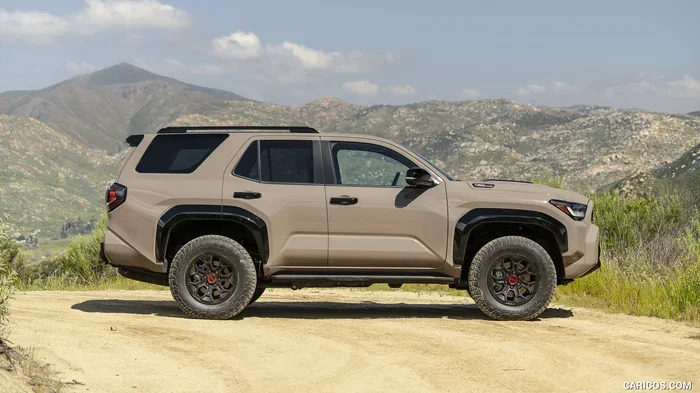
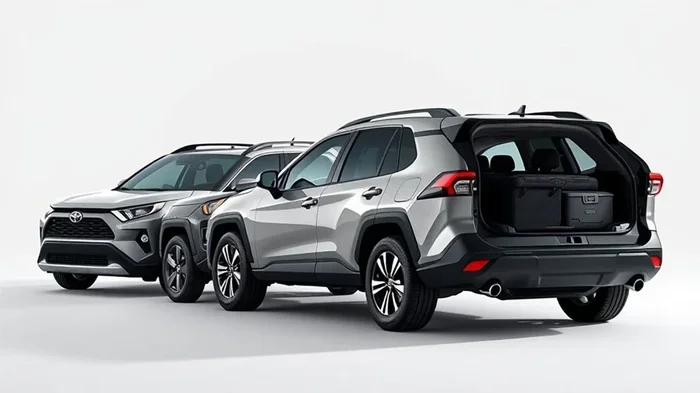
As of recent model years, the following Toyota vehicles generally support phone-as-a-key:
- Toyota Camry (2021 and newer with the Entune 3.0 system)
- Toyota RAV4 (2021 and newer, including the RAV4 Hybrid)
- Toyota Highlander (2022 and newer)
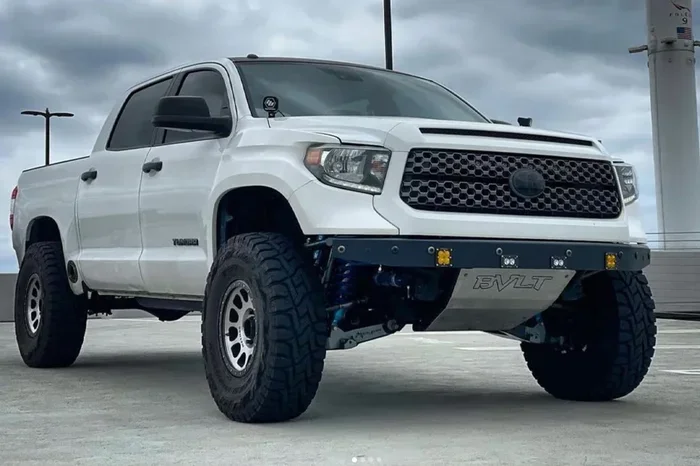
- Toyota Tundra (2022 and newer)
- Toyota bZ4X (full electric SUV, all model years)
- Toyota Crown (select trims with the latest infotainment)
- Toyota Sienna (2021 and newer)
Keep in mind that availability depends on your trim level and options package. Some base trims may not include the hardware needed for digital key support. If you are unsure whether your specific Toyota qualifies, check the Toyota app or consult your dealer. You can also explore Toyota connectivity features to see what your model offers.
If you are in the market for a new Toyota and want phone-based access, look for models that advertise the Toyota Digital Key feature. Most newer trims come with it standard, especially in higher-end packages. Toyota has been steadily expanding this list, so even older models from the past couple of years may receive support through software updates.
Setting Up Your Phone to Unlock Your Toyota
Setting up phone-based unlocking on your Toyota is a straightforward process. You do not need any special equipment beyond a compatible smartphone and the Toyota app. Here is exactly how to do it.
Step 1: Download the Toyota App
Go to the Apple App Store or Google Play Store and search for the Toyota app. Download it and create an account if you do not already have one. Make sure your phone operating system is up to date. The Toyota app works best on the latest versions of iOS and Android.
Step 2: Register Your Vehicle
Open the app and follow the prompts to register your Toyota. You will need your Vehicle Identification Number, or VIN, and your vehicle registration details. The app will connect to Toyota servers to verify your ownership and link your account to the car.
Step 3: Create Your Digital Key
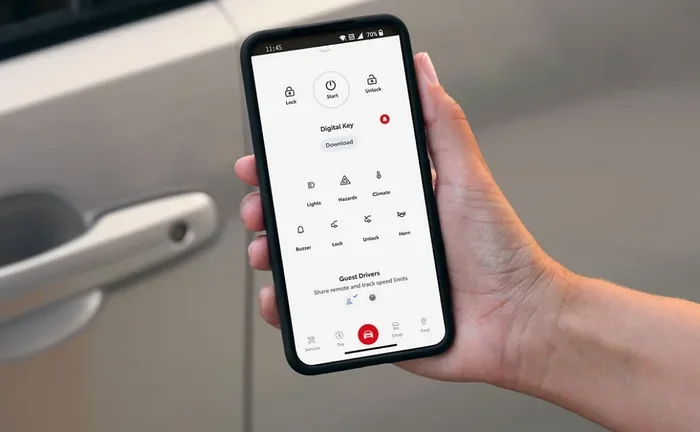
Once your vehicle is registered, go to the digital key section in the app. Follow the on-screen instructions to generate your digital car key. The app will walk you through pairing your phone with the car using Bluetooth. You may need to hold your phone near the dashboard-mounted reader to complete the pairing.
During setup, the app will ask you to authenticate using your phone’s biometric security, such as your fingerprint or face ID. This ensures that only you can activate the digital key. After authentication, your phone becomes a fully functional key for your Toyota.
Step 4: Test Your Setup
Walk away from your car with your phone in your pocket. Approach the vehicle and see if the doors unlock automatically. Try locking the car by walking away. Test starting the engine with the push-button start while your phone is inside the vehicle. If everything works, you are all set.
For a more detailed guide on programming a key fob yourself, you can also check out our article on Can I Program A Key Fob Myself. While that article focuses on traditional key fobs, the pairing principles are similar and can help you understand how digital keys communicate with your car.
Quick Tips for a Smooth Setup
- Make sure your phone battery is at least 20% before starting the setup process.
- Keep your car keys nearby in case you need a backup during setup.
- Restart your phone if the app has trouble connecting to the vehicle.
- Update the Toyota app regularly to get the latest features and security patches.
- If your car is in a garage or enclosed space, step outside before testing the unlock feature.
Benefits of Unlocking Your Toyota With Your Phone Instead of Keys
Switching from a traditional key fob to phone-based access brings several real advantages. Here is why more Toyota owners are making the switch every day.
Convenience You Can Feel
The biggest benefit is simply convenience. You always carry your phone. You do not need to remember to grab a separate key fob. When your hands are full, your phone is already in your hand. Unlocking your Toyota with your phone takes one second and zero effort. It fits naturally into your daily routine.
Enhanced Security
Digital keys use advanced encryption that is far more secure than traditional key fobs. A physical key fob can be relayed or cloned with the right equipment. A digital key cannot. Toyota’s system uses encrypted communication between your phone and the car, and it requires biometric authentication on your device. Even if someone steals your phone, they still cannot unlock your Toyota without your fingerprint or face ID.
Remote Access and Sharing
The Toyota app lets you share your digital key with family members or trusted friends. You can set time limits on shared keys, so someone can only access your car during a specific window. This is incredibly useful for letting a babysitter, valet, or friend borrow your vehicle temporarily. You do not need to hand over a physical key or worry about it getting copied.
Remote Start and Climate Control
Beyond just unlocking, the Toyota app lets you start your car remotely. You can turn on the air conditioning or heater before you even get in. On a cold winter morning, this feature alone is worth the setup. Combined with phone-based ignition, your Toyota feels like it is waiting for you before you even walk out the door.
If you are interested in how phone integration extends beyond just unlocking, you might also enjoy reading our article on Can I Add Apps To My Car. It covers how smartphones can connect with your Toyota’s infotainment system for navigation, music, and more.
No More Lost Key Fobs
How many times have you misplaced your key fob and spent ten minutes searching your house? With phone-based access, your key is always with you. You cannot leave it on the kitchen counter or forget it in the gym locker. Your phone goes everywhere you go, so your car key goes everywhere too.
What To Do If Phone Unlocking Does Not Work
Like any technology, phone-based unlocking can sometimes have issues. Here are the most common problems and how to fix them.
Your phone battery is dead. This is the most obvious issue. If your phone has no charge, the digital key cannot communicate with your Toyota. Keep a backup physical key in your glove box for situations like this. You can also look into wireless charging pads that keep your phone topped up while you drive.
Bluetooth is turned off. The digital key relies on Bluetooth Low Energy to communicate with your car. If Bluetooth is disabled, the system will not work. Make sure Bluetooth is always enabled on your phone, or set it to auto-connect when you start the car.
The app is not updated. Toyota regularly releases updates to the app that fix bugs and improve performance. If your digital key stops working, check the app store for any pending updates. Installing the latest version often resolves the issue.
Your phone is not compatible. Not all phones support the digital key technology Toyota uses. The app requires a phone with NFC and Bluetooth 5.0 or higher. Older phones may not qualify. If you recently switched to a new phone, you may need to set up the digital key again.
You need to re-pair your phone. Sometimes the connection between your phone and the car gets disrupted. Simply deleting the digital key from the app and recreating it usually fixes the problem. Make sure your phone and car are within a few feet of each other during the re-pairing process.
If none of these solutions work, your Toyota dealer can help. They can check for software updates, reset the digital key system, or troubleshoot any hardware issues. You can also explore keyless entry system alternatives by reading our guide on Can You Start A Keyless Car With A Key, which covers backup methods for starting your car without a working fob.
Final Thoughts
Can I unlock my Toyota with my phone instead of keys? Absolutely. Toyota has built a robust and secure digital key system that makes phone-based car access a practical, everyday reality. From unlocking the doors to starting the engine and sharing access with loved ones, the technology covers everything a traditional key fob does and more.
The setup process is simple, the security is strong, and the convenience is undeniable. Whether you are juggling groceries, running late for work, or just tired of carrying a separate key fob, unlocking your Toyota with your phone makes life easier. As Toyota continues to expand compatibility and add new features, this technology will only get better.
If you own a compatible Toyota, we strongly encourage you to try the digital key feature. Download the Toyota app, follow the setup steps, and experience the future of car access today. And remember, if you ever run into issues, your local Toyota dealer is always ready to help you get everything running smoothly.
The days of digging through pockets for a key fob are numbered. Your phone is already your wallet, your camera, and your calendar. Now it can be your car key too. Unlocking your Toyota with your phone is not just a cool trick. It is a smarter, safer, and more convenient way to live with your vehicle.
Frequently Asked Questions
Can any Toyota be unlocked with a phone?
No, only Toyota models with compatible infotainment systems and digital key support can be unlocked with a phone. Newer models from 2021 onward are more likely to support this feature, but you should check your specific trim and year to confirm compatibility.
Is it safe to store my car key on my phone?
Yes, Toyota uses encrypted digital key technology that is more secure than traditional key fobs. The digital key requires biometric authentication on your phone, such as fingerprint or face recognition, before it can unlock or start your vehicle.
What happens if my phone battery dies and I need to unlock my car?
Always keep a physical backup key in your glove box. Even with phone-based access, you can use your traditional key to unlock and start your Toyota if your phone is dead or unavailable.
Can I share my digital key with someone else?
Yes, the Toyota app lets you share your digital key with family members or friends. You can set permissions and time limits so that shared access is only available when you approve it.
Do I need an iPhone or a specific Android phone for this feature?
You need a phone with NFC and Bluetooth 5.0 or higher. Most modern iPhones and Android phones meet these requirements, but older or budget phones may not support the digital key technology.
Can I use my phone to start my Toyota engine without a key?
On supported models, yes. Once your digital key is set up and your phone is inside the vehicle, you can start the engine with the push-button start. Your phone acts as the key fob and tells the car it is safe to start.