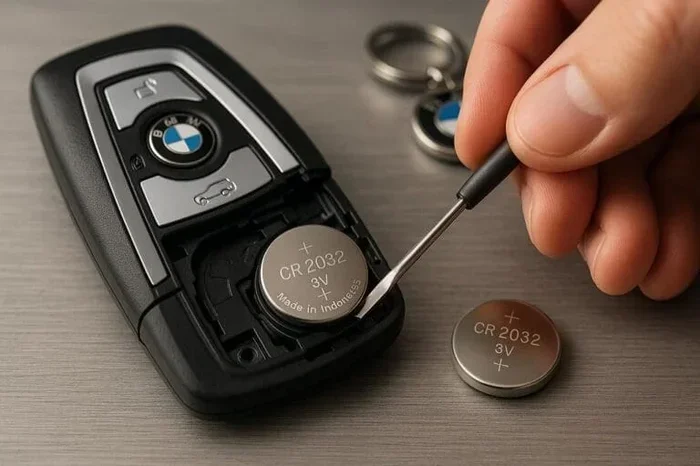
How Do I Know If My Key Fob Needs a Brand New Battery
Your key fob battery needs replacing when you notice weak signal range, inconsistent locking or unlocking, and push button start failures. This guide walks you through every warning sign, the exact replacement process, and how to avoid common mistakes. You will learn to diagnose fob issues quickly and save money by handling the battery swap yourself.
Key Takeaways
- Signal loss and weak range are the earliest signs your key fob battery is dying.
- Push button start failure often points directly to a dead or weak fob battery.
- Replacing the battery takes less than five minutes and costs under a few dollars.
- CR2025 and CR2032 are the most common key fob battery types.
- Proactive replacement every two to three years prevents unexpected lockouts.
- Multiple warning signs appearing together confirm it is time for a new battery.
📑 Table of Contents
Common Key Fob Battery Warning Signs
Your car key fob gives you subtle hints before it completely dies. Recognizing these early key fob warning signs can save you from being locked out of your vehicle on a bad day. Most drivers ignore the small changes until the fob stops working entirely. That is a mistake. The key fob symptoms build up gradually, and catching them early makes all the difference.
The most obvious indicator is reduced signal range. If you used to unlock your car from twenty feet away and now you need to stand right next to the door, your key fob battery is likely fading. This is one of the most common key fob symptoms that drivers notice first. You might also find yourself pressing the button harder or multiple times to get a response. That is not a quirk. It is a clear signal that the battery is losing power.
Another clear sign is intermittent key fob lock and key fob unlock functions. Sometimes the buttons work perfectly, and other times they do nothing at all. This inconsistency happens because the battery voltage drops below the threshold needed for a reliable signal. One button might work while another does not. The lock function might respond but the unlock will not. These unpredictable patterns are classic indicators of a weakening battery.
Here are the most frequent key fob warning signs to watch for:
- Weak or delayed response when pressing any button on the fob
- Push button start not recognizing the fob when you sit inside the vehicle
- Key fob signal loss in certain positions or angles
- The car does not beep or flash lights when you lock or unlock
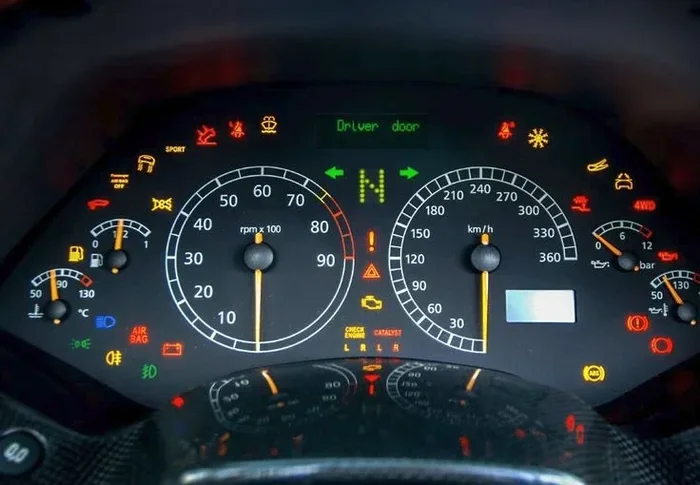
- Dashboard warnings about the vehicle key fob appearing on the display
- Key fob unlock works but key fob lock does not, or vice versa
- The fob buttons feel less tactile or mushy under your finger
- You need to press the button from a much closer distance than before
If you experience any of these issues, it is time to check your battery. Ignoring these signs can leave you stranded when the battery dies completely. The good news is that testing and replacing the battery is incredibly simple. You do not need a mechanic or a dealership visit. A few minutes and a couple of dollars are all it takes.
Why Signal Range Drops Before Total Failure
Your remote key fob transmits a weak radio signal to the car. As the battery weakens, the signal becomes weaker too. The car’s receiver needs a certain signal strength to register the command. When the battery dips below that level, you lose range first. Total failure comes next. This gradual decline gives you plenty of time to act before you are completely locked out.
Think of it like a flashlight. As the batteries wear down, the beam gets dimmer. It still works, but not as well. Eventually, it goes out completely. Your electronic key fob follows the same pattern. The key fob range shrinks as the battery loses charge, and eventually the fob stops transmitting altogether.
Quick Tip: Test your fob range every few months. Stand at the normal distance you use and press unlock. If you need to move significantly closer than usual, swap the battery soon. This simple habit prevents surprise lockouts.
Understanding How Your Car Key Fob Works
Most modern electronic key fobs use a small coin-cell battery to power the radio transmitter. When you press a button, the fob sends a coded signal to your car’s receiver. The car verifies the code and responds by locking, unlocking, or starting the engine. The entire process happens in milliseconds. But it relies on enough battery power to send a strong enough signal.
Think of it like a flashlight. As the batteries wear down, the beam gets dimmer. Eventually, it goes out completely. Your car key fob follows the same logic. The key fob weak signal is the dimming beam. Total silence is the beam going out.
The Role of the Push Button Start System
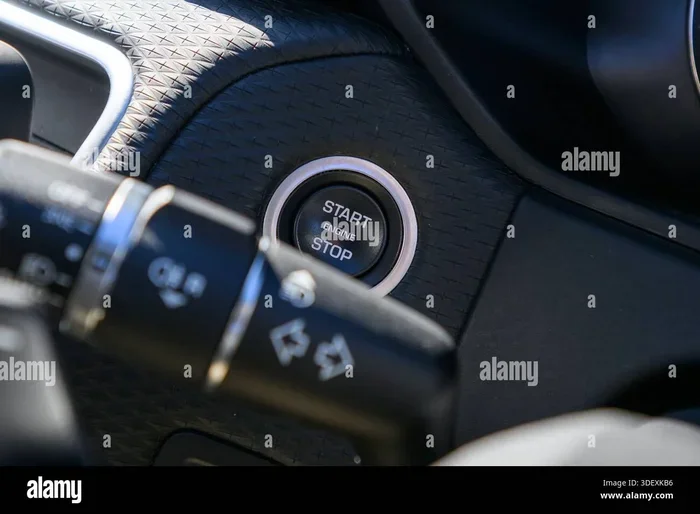
Vehicles with push button start technology rely heavily on the key fob. The car must detect the fob inside the cabin before it will start the engine. If the fob battery is dead, the system may not recognize the key at all. You could be sitting in the driver seat with a fully charged car battery and still not be able to start the vehicle.
In many cases, you can still start a keyless car with a key using a backup method, but it is not always obvious where that backup is. Most manufacturers hide a physical key slot somewhere on the car, often near the steering column or in the center console. Knowing where this slot is can save you from a very stressful morning.
This is exactly why understanding your key fob battery health matters so much. A dead fob battery does not just affect convenience. It can prevent you from starting your car entirely. The key fob symptoms of a dying battery are your early warning system. Pay attention to them.
How Far Should Your Key Fob Signal Reach?
Most key fobs work reliably within 10 to 20 feet. Some advanced systems extend that range up to 30 feet or more. If you find yourself standing right next to your car to get a response, that is a clear sign of key fob weak signal problems. The key fob range shrinks as the battery loses charge.
Several factors affect your key fob signal loss and overall range:
- Battery age: Older batteries naturally produce weaker signals
- Temperature: Extreme cold and heat both reduce battery performance
- Physical obstructions: Your body, bags, or other electronics can block the signal
- Fob damage: A cracked or water-damaged fob loses range regardless of battery health
- Car receiver strength: Older vehicles may have weaker receivers that need a stronger fob signal
| Signal Range | Battery Condition | Action Needed |
|---|---|---|
| 15-20 feet | Healthy | No action needed |
| 5-10 feet | Weak | Replace battery soon |
| Less than 5 feet | Very low | Replace battery immediately |
| No response | Dead | Replace battery now |
This table shows how signal degradation follows a predictable pattern. Use it as a quick reference to gauge your fob’s health. If you fall into the weak or very low categories, do not wait. Replace the battery right away.
Step-by-Step Key Fob Battery Replacement
Replacing your fob battery replacement is one of the easiest maintenance tasks you can do. Most people complete it in under five minutes. You do not need any special tools or technical skills. Anyone can do it at home with basic items already lying around the house.
The cost of a new car key battery is typically under five dollars. Compare that to the hassle and expense of calling a locksmith or visiting a dealership. Doing it yourself saves you time and money. It also gives you a better understanding of how your vehicle works.
What You Will Need
Gather these items before you start:
- A replacement battery (see the section below for the correct type for your vehicle)
- A small flathead screwdriver or a plastic pry tool
- A clean, soft cloth to protect the fob from scratches
- Good lighting so you can see the internal components clearly
- A clean, flat workspace
Step 1: Identify the Key Fob Type
Not all key fobs open the same way. Some have a visible seam running along the back. Others require pressing a small release button to separate the two halves. Look at your car key fob carefully before you start prying anything apart.
If your fob has a physical key hidden inside, pull it out first. The key usually releases a small latch on the fob body. Once the key is removed, the fob casing should separate more easily. Some vehicles use a squeeze-and-pull mechanism. Others simply pop open with a gentle bend.
Take a photo of the fob before you disassemble it. This helps you remember how the internal components are arranged. It also makes reassembly much easier if you forget the layout.
Step 2: Open the Fob Casing
Insert the screwdriver into the seam of the fob. Work it gently around the edge. Do not force it. The plastic clips are fragile and break easily. If you break a clip, the fob will not snap back together properly, and moisture can get inside.
Common Mistakes: Using too much force is the number one error people make when opening a key fob. Go slow and steady. If the fob is stubborn, try placing it seam-side down on a soft surface and pressing down firmly. Gravity can help release the clips without you needing to pry aggressively.
Expert Insight: A plastic pry tool is safer than a metal screwdriver. It reduces the risk of scratching the fob housing or accidentally puncturing the battery. These tools cost a dollar or two at any electronics store and last for years.
Step 3: Remove the Old Battery
Once the fob is open, you will see the battery sitting in a small compartment. Note which side faces up before you remove it. Use the screwdriver to gently pry the battery out from the bottom. Dispose of the old battery properly. Do not throw it in regular household trash. Many grocery stores and electronics shops accept used batteries for recycling.
Take a moment to inspect the battery compartment. If you see any corrosion or buildup, clean it gently with a dry cloth. Corrosion can prevent the new battery from making proper contact, which causes the same problems you just had with the old battery.
Step 4: Insert the New Battery
Place the new battery in the same orientation as the old one. The positive side usually faces up. Press it firmly into place until it clicks or sits flush. Make sure it sits flat and secure. A loose battery will cause intermittent key fob not working issues even after replacement.
Quick Tip: After replacing the battery, hold the fob close to the car and press the unlock button three times in a row. This helps the car re-establish a strong connection with the fob. It also confirms the new battery is working correctly before you put the fob back in your pocket.
Step 5: Reassemble the Fob
Align the two halves of the fob carefully. Press them together firmly until you hear all the clips snap into place. Test the buttons before you put the fob back in your pocket. Lock and unlock the car to confirm everything works. If the fob still does not respond, double-check the battery orientation and make sure the battery is seated properly.
If you want to learn more about doing this yourself, check out our guide on how to program a key fob yourself after the battery swap. Some vehicles require a reset procedure after a battery change, especially newer models with advanced security features.
Which Battery Does Your Key Fob Use?
Most car key battery types are CR2025 or CR2032 coin-cell batteries. These are inexpensive and widely available at grocery stores, pharmacies, and auto parts shops. The exact type depends on your vehicle make and model. Using the wrong battery can cause fit issues or poor performance.
CR2025 vs. CR2032: What Is the Difference?
The main difference is thickness. The CR2032 is 3.2mm thick, while the CR2025 is 2.5mm thick. Both have the same diameter of 20mm. Using the wrong thickness can cause the fob to not close properly or the battery to fit loosely. A loose battery rattles around inside the fob and makes unreliable contact with the terminals.
Check your vehicle owner’s manual for the exact battery specification. You can also look at the old battery after removing it. The markings printed on the top will tell you the model number clearly. If the manual is not available, the old battery itself is your best reference.
How Long Does a Key Fob Battery Last?
Most fob battery life spans between two and four years. However, this varies based on usage. If you lock and unlock your car frequently, the battery drains faster. Extreme temperatures also shorten battery life significantly. Cold winters and hot summers are particularly tough on car remote battery cells.
Here is a quick comparison of factors that affect fob battery life:
- High usage: Frequent locking and unlocking drains the battery faster
- Cold weather: Low temperatures reduce battery voltage and capacity
- Heat exposure: Leaving the fob on the dashboard in direct sunlight damages internal components
- Moisture: Water damage can short-circuit the fob and drain the battery rapidly
- Fob age: Older fobs naturally draw more power from the battery
- Signal interference: Nearby electronics can cause the fob to work harder and drain faster
Key Takeaways:
- CR2025 and CR2032 are the most common fob batteries used in vehicles
- Fob battery life typically lasts between 2 and 4 years under normal conditions
- Extreme temperatures on both ends of the spectrum reduce battery longevity
- Replace battery proactively every 2 years to avoid unexpected failures
- Always match the exact battery model for proper fit and reliable performance
- Keep spare batteries on hand so you are never caught without a replacement
When to Replace the Entire Key Fob
Sometimes a new battery is not enough. If you replace the battery and the key fob not working problem persists, the fob itself may be failing. Electronic components wear out over time, just like any other part of your car. The circuit board inside the fob can corrode, the buttons can wear out, and the internal antenna can break.
Signs the Fob Needs Full Replacement
Watch for these indicators that your fob needs to be replaced entirely:
- The fob housing is cracked, broken, or visibly damaged
- Buttons feel sticky, unresponsive, or physically worn down even after a new battery
- The fob has been exposed to water or moisture and stops working entirely
- You have replaced the battery twice and the same problems continue
- The fob is more than 5 years old and shows multiple issues
- The fob works intermittently regardless of battery condition
If you find yourself needing to bypass the fob frequently, you might wonder about alternatives. Some people ask whether you can hotwire a push to start car as a backup. While this is technically possible in some models, it is not recommended and can cause electrical damage to your vehicle. It is also illegal in many jurisdictions.
Instead, keep a spare fob or a mechanical key handy. Most vehicles with push-button start also have a hidden key slot somewhere on the car. This serves as a backup when the fob battery dies. Knowing where this slot is can save you from a very stressful and inconvenient situation.
After replacing a fob, you may also need to reprogram your ECM yourself or visit a dealer to sync the new fob to the vehicle. This is especially true for newer models with advanced security systems that pair the fob to the car’s computer. Check with your dealership or a trusted mechanic if you are unsure about the reprogramming process.
Preventing Key Fob Battery Problems
You cannot completely prevent battery drain, but you can take smart steps to extend your fob battery life and avoid unexpected failures. Prevention is always better than cure, and a few simple habits can keep your vehicle key fob running smoothly for years.
Simple Habits That Help
- Keep the fob away from other electronics. Devices like phones, laptops, and tablets emit signals that can interfere with the fob. This interference causes the fob to use more power trying to transmit through the noise. Store your fob in a dedicated pocket or compartment away from your phone.
- Do not expose the fob to extreme heat. Leaving it on the dashboard in direct sunlight can damage the internal circuitry and drain the battery much faster. The heat warps the plastic housing and degrades the battery cells.
- Replace the battery proactively. Do not wait until the fob stops working completely. Swap the battery every 2 to 3 years as a preventive measure. This eliminates the risk of being stranded with a dead fob.
- Store the spare fob properly. Keep it in a cool, dry place away from other electronics. A dead spare fob is useless when you need it most. Test your spare fob periodically to make sure it still works.
- Clean the fob contacts regularly. Dust and grime can build up on the battery contacts and cause poor connectivity. A quick wipe with a dry cloth keeps things working smoothly.
Key Fob Troubleshooting Checklist
Before you rush to buy a new battery, run through this quick checklist. Sometimes the problem is not the battery at all:
- Have you tried all the fobs you own? Sometimes only one fob has a dead battery while the others work fine
- Is the car battery fully charged? A weak car battery can mimic fob problems and prevent the car from responding
- Are you standing close enough to the car? Proximity affects signal strength, especially with a weak fob battery
- Did you recently get the car washed or serviced? Moisture can seep into the fob and damage the internal electronics
- Have you checked for any vehicle recalls? Some models have known fob issues that manufacturers have addressed with free fixes
- Is there physical damage to the fob? Drops, impacts, and water exposure can all cause fob failure independent of the battery
Running through these steps can save you time and money. Many key fob troubleshooting issues are simpler than they appear. A little detective work often reveals the answer without any cost at all.
Expert Insights on Key Fob Longevity
Automotive experts recommend treating your key fob like any other wearable car component. Just as you replace wiper blades and cabin filters on a schedule, your fob battery deserves the same attention. Proactive replacement prevents the inconvenience of a dead fob at the worst possible moment.
Many mechanics suggest keeping a spare battery in your glove box at all times. It takes up almost no space and can save you from a very inconvenient situation. The cost of a spare battery is negligible compared to the cost and hassle of being locked out of your own car.
Quick Tip: Mark your calendar for a battery swap every 24 months. Set a phone reminder if needed. This small habit can save you from a lot of frustration down the road. Two dollars and five minutes of your time can prevent hours of stress and inconvenience.
Conclusion
Knowing the key fob warning signs puts you ahead of the game. You no longer have to be surprised by a dead fob at the worst possible moment. By understanding the symptoms, performing a simple battery replacement, and taking preventive steps, you keep your car key fob working reliably for years. The process is straightforward, affordable, and takes less than five minutes of your time.
Do not wait until you are standing outside your car in the rain trying to get it to unlock. Replace that battery at the first sign of trouble. Your future self will thank you. Staying proactive about your key fob battery health is one of the simplest and most overlooked forms of car maintenance.
Keep a spare battery in your glove box. Share this guide with friends and family who drive modern vehicles. Knowledge about key fob troubleshooting and fob battery replacement is one of the simplest ways to stay ahead of car maintenance issues. Take charge of your vehicle’s maintenance and enjoy the peace of mind that comes with a reliable car key fob.
Frequently Asked Questions
How do I know if my key fob battery is low?
The most common sign is reduced signal range. If you need to stand closer to your car for the fob to work, the battery is likely weak. Other signs include inconsistent locking, delayed response, and push button start failure. These key fob symptoms appear gradually, giving you time to replace the battery before it dies completely.
Can I replace the key fob battery myself?
Yes, replacing a key fob battery is one of the easiest car maintenance tasks. You need a small screwdriver, a replacement battery, and about five minutes. The process involves opening the fob casing, removing the old battery, inserting the new one, and snapping the fob back together. No special tools or technical skills are required.
What type of battery does a key fob use?
Most car key battery types are CR2025 or CR2032 coin-cell batteries. The exact type depends on your vehicle make and model. Check your owner’s manual or look at the markings on the old battery after removal. Using the correct battery ensures a proper fit and reliable performance.
How long does a key fob battery last?
Most fob battery life spans between two and four years. Heavy usage, extreme temperatures, and moisture exposure can shorten this lifespan. To avoid unexpected failures, consider replacing the battery proactively every two years. This simple habit prevents the inconvenience of a dead fob.
What should I do if replacing the battery does not fix the problem?
If a new battery does not restore function, the fob itself may be damaged. Check for physical damage, corrosion in the battery compartment, or water exposure. You may need to reprogram your ECM yourself or visit a dealer to sync the fob. In some cases, full fob replacement is the only solution.
Can a dead key fob battery prevent my car from starting?
Yes, absolutely. Vehicles with push button start systems rely on the fob to communicate with the car’s ignition. A dead fob battery means the car cannot detect the key inside the cabin. In many models, you can still start a keyless car with a key using a hidden backup slot, but this varies by manufacturer and model.