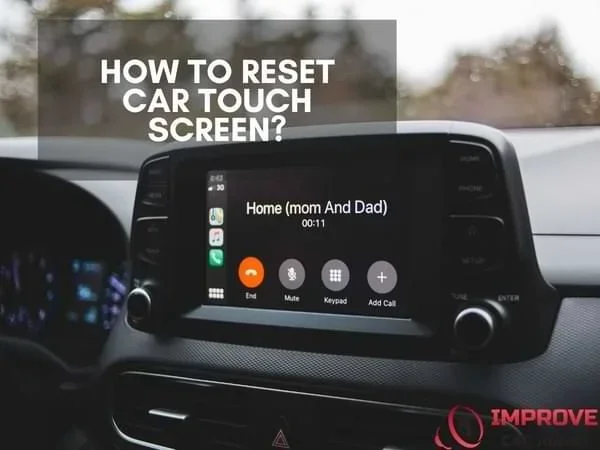
How Do I Reset My Car Touch Screen With These Steps
Resetting your car touch screen is simpler than you think. A car touch screen reset can fix frozen displays, unresponsive controls, and glitchy infotainment systems in minutes. Whether you need a soft reset or a full factory reset, this guide walks you through every step with clear instructions for all major car brands.
Key Takeaways
- A soft reset is the quickest fix for most touchscreen glitches and takes under two minutes.
- A factory reset erases all custom settings, so back up your preferences first.
- Different car brands use different reset methods, so always check your owner’s manual.
- Regular software updates and simple cleaning habits can prevent most touch screen problems.
- If the screen still won’t work after a reset, it may be a hardware issue that needs professional attention.
📑 Table of Contents
- Why Your Car Touch Screen Might Need a Reset
- How to Soft Reset Your Car Touch Screen
- How to Perform a Hard Reset (Factory Reset)
- How to Reset Your Car Touch Screen by Brand
- Tips to Keep Your Car Touch Screen Working Smoothly
- When to Seek Professional Help
- Final Thoughts on Resetting Your Car Touch Screen
Why Your Car Touch Screen Might Need a Reset
Your car’s touchscreen display is basically a small computer. It runs your infotainment system, navigation, music, and climate controls. Just like any computer, it can freeze, lag, or act strange. A car touch screen reset clears out temporary glitches and brings everything back to normal.
You are not alone if your screen is acting up. Many drivers face car display problems at some point. The good news is that most issues are easy to fix at home. You do not need a mechanic or expensive tools. A simple reset often solves the problem in just a few minutes.
This guide covers everything you need to know. You will learn how to do a soft reset, a hard reset, and brand-specific steps. Let us get started.
Common Signs Your Screen Needs a Reset
How do you know it is time to reset your screen? Look for these warning signs:
- The screen freezes and will not respond to your touch.
- Menu options take forever to load or do not load at all.
- The display flickers or goes blank for no reason.
- Your navigation system stops working mid-trip.
- Buttons on the screen appear stuck or repeat on their own.
- The car entertainment system cuts out or plays static.
If you notice any of these, a reset is usually the first fix to try. It costs nothing and takes very little time.
What Causes Touch Screen Problems in Cars
Several things can make your vehicle touchscreen misbehave. Understanding the cause helps you pick the right fix.
Software glitches are the most common culprit. Your car’s system runs complex software. Sometimes a bug causes the screen to freeze or lag. A simple system reboot clears these temporary errors.
Overheating is another big factor. Cars sit in hot sun all day. The screen’s internal components can overheat, causing slowdowns or shutdowns. Letting the car cool down often helps.
Outdated software can also cause problems. Car makers release updates to fix bugs and improve performance. If you have not updated your system in a while, that could be the source of your trouble.
Finally, electrical issues like a weak battery or faulty wiring can affect the screen. If the screen problems keep coming back after resets, you might want to check your car’s electrical system.
How to Soft Reset Your Car Touch Screen
A soft reset is the easiest and safest way to restart your car screen. It does not delete any of your settings, apps, or saved data. Think of it like restarting your phone. Everything stays the same, but the fresh start fixes most minor glitches.
Soft Reset Steps You Can Try Right Now
Follow these simple steps to perform a soft reset on your car’s touchscreen:
- Press and hold the power button on the screen for about 10 seconds.
- Wait for the screen to turn off completely.
- Wait another 30 seconds to let the system fully power down.
- Press the power button again to turn the screen back on.
- Check if the touch response and display are working normally.
That is it. In most cases, this simple car screen reset solves the problem. If the screen is still frozen, you can try the next method below.
When a Soft Reset Is Enough
A soft reset works great for most everyday issues. If your screen froze after switching between apps or if the navigation system lagged during a trip, a soft reset will likely fix it. It is also the best first step before trying anything more involved.
However, if the screen has deeper software problems, a soft reset might not be enough. In that case, you will want to move on to a hard reset. We cover that next.
How to Perform a Hard Reset (Factory Reset)
A factory reset is a more powerful fix. It wipes all your custom settings and restores the screen to its original factory state. Think of it as giving your car’s infotainment system a fresh start. This fix works when a soft reset fails to solve the problem.
Warning: A factory reset deletes your saved Wi-Fi passwords, Bluetooth pairings, radio presets, and app logins. Make sure you note down anything important before proceeding.
Hard Reset Steps You Should Follow
Here is how to perform a hard reset on most car touch screens:
- Turn off the car engine and remove the key from the ignition.
- Locate the infotainment system’s power button or the reset pinhole.
- Press and hold the power button for 20 to 30 seconds.
- Some systems require you to hold a volume knob instead. Check your manual.
- Release the button when the screen goes dark or the logo appears.
- Wait for the system to fully reboot. This can take 2 to 5 minutes.
- Once the screen is back on, re-pair your Bluetooth devices and Wi-Fi.
If you are unsure about the exact steps for your car, check the owner’s manual or visit the manufacturer’s website. Each brand has its own process.
What a Factory Reset Erases
It is important to know what you lose during a factory reset. Here is a quick list:
- Saved Wi-Fi network passwords
- Bluetooth device pairings
- Radio station presets
- Custom display themes and wallpaper
- Saved navigation addresses and recent destinations
- App logins and preferences
Some cars also let you back up your settings to a USB drive before the reset. Check your manual to see if this option is available. This saves a lot of time when setting everything back up.
How to Reset Your Car Touch Screen by Brand
Every car brand has its own way of handling resets. Below are step-by-step instructions for some of the most popular brands on the road today.
Resetting a Ford Touch Screen
Ford vehicles use the SYNC infotainment system. To reset it, start by holding the power button for about 10 seconds. The screen will turn off and then restart. For a deeper reset, you can also disconnect the negative battery terminal for 15 minutes and then reconnect it. This forces the SYNC system to fully reboot.
If you have been looking into other car electronics, you might also want to read about can I reprogram my ECM myself for more DIY car tech tips.
Resetting a Toyota Touch Screen
Toyota uses the Entune system. To reset, hold the power button for 10 to 15 seconds. The screen should power off and restart on its own. For a full factory reset, go to Settings, then System, and select Factory Reset. Enter your security PIN if prompted. The default PIN is usually 12345 or 00000.
Resetting a Honda Touch Screen
Honda’s infotainment system is straightforward to reset. Press and hold the power button for about 10 seconds until the screen goes dark. Wait 30 seconds, then press the button again. For a full reset, you can also hold the volume knob for 10 seconds. This method works on most Honda models from the last decade.
Resetting a Chevrolet Touch Screen
Chevrolet vehicles use the MyLink or Infotainment system. To reset, press and hold the power button for 10 seconds. The screen will shut down and restart. If that does not work, try turning the car off, removing the key, and waiting 2 minutes before restarting. For a full factory reset, go to Settings, select Vehicle, and choose Restore Factory Defaults.
For more on keeping your car systems running well, you might also enjoy learning about can I change the sound system in my car to upgrade your audio experience after your screen is back to normal.
Resetting a BMW or Mercedes Touch Screen
Luxury brands like BMW and Mercedes have more advanced systems. For BMW, hold the power button and the volume knob together for 10 seconds. The system will reboot. For Mercedes, press and hold the power button for 15 seconds. Some Mercedes models also let you reset through the settings menu under System > Reset.
Tips to Keep Your Car Touch Screen Working Smoothly
Prevention is always better than fixing problems. Here are some simple habits that keep your car touch screen in great shape.
Regular Cleaning Habits
Dust, fingerprints, and grime can build up on your screen over time. This buildup can interfere with touch responsiveness. Use a soft microfiber cloth to gently wipe the screen at least once a week. Avoid harsh chemicals or paper towels, which can scratch the surface.
For tough spots, lightly dampen the cloth with water or a screen-safe cleaner. Never spray liquid directly onto the screen. Let the cloth do the work.
If you want to keep the rest of your car’s interior clean too, you might also be interested in car glass cleaning tips for streak-free windows.
Software Updates Matter
Car makers regularly release software updates for their infotainment systems. These updates fix bugs, improve performance, and add new features. Check for updates in your system settings at least once a month. Some cars also notify you when an update is available.
Keeping your system updated is one of the best ways to prevent car screen freezing and other glitches. Set a reminder on your phone to check for updates every few weeks.
Avoid Overloading Your System
Too many apps or files can slow down your car’s touchscreen. Delete apps you no longer use and clear out old navigation history. Think of it like cleaning up storage on your phone. A lighter system runs faster and smoother.
If you are thinking about adding new features to your car, check out can I add apps to my car to learn what is possible and how to do it safely.
Protect Your Screen from Heat
Heat is the enemy of electronics. Parking in the shade or using a car windshield sunshade helps keep the interior cool. A cooler car means a cooler screen, which lasts longer and performs better. A car windshield cover for sun is a small investment that pays off in many ways.
When to Seek Professional Help
Most touch screen issues go away after a reset. But sometimes, the problem is deeper. Here is when you should call a professional.
Signs It Is More Than a Simple Reset
Watch for these warning signs that point to a hardware problem:
- The screen stays black even after a full reset and battery disconnect.
- You see dead pixels or dark spots on the display.
- The screen flickers constantly no matter what you do.
- Touch input works only in certain areas of the screen.
- The system crashes repeatedly right after turning on.
If you notice any of these, the issue is likely not software-related. A technician can diagnose whether the screen, wiring, or another component needs replacement.
Protecting Your Car Warranty
If your car is still under warranty, be careful about opening up the system yourself. Some warranty issues can be voided if unauthorized repairs are done. When in doubt, visit your dealer or an authorized service center. They have the tools and expertise to fix the problem without affecting your warranty.
Sometimes electrical problems in your car can cause a chain of issues. If you are dealing with a situation where your car has power but won’t start, you might want to look into car won’t turn over but has power to understand what could be going on with your vehicle’s electrical system.
Final Thoughts on Resetting Your Car Touch Screen
Resetting your car touch screen is one of the simplest and most effective fixes you can do at home. A soft reset takes less than a minute and solves most common problems. A factory reset is a stronger fix for deeper glitches, but it erases your settings, so use it carefully.
Remember to clean your screen regularly, keep your software updated, and protect your car from extreme heat. These small habits go a long way in keeping your infotainment system running smoothly for years.
Most of the time, a quick reset is all you need to get your screen back to normal. Try the steps in this guide the next time your display acts up. You will be back on the road with a fully working screen in no time.
Frequently Asked Questions
How long does it take to reset a car touch screen?
A soft reset usually takes less than two minutes. A factory reset can take anywhere from 3 to 10 minutes, depending on your car’s system. After the reset, you may need a few extra minutes to re-enter your Wi-Fi passwords and Bluetooth pairings.
Will resetting my car touch screen delete my saved music and playlists?
A soft reset will not delete anything. A factory reset, however, will erase saved playlists, radio presets, and app data. Always back up important information before performing a factory reset. Some car systems allow you to save settings to a USB drive as a safety measure.
Why does my car touch screen keep freezing even after a reset?
If the screen keeps freezing after multiple resets, the problem may be hardware-related. Overheating, a failing display, or a software conflict could be the cause. In this case, it is best to visit a professional mechanic or your car dealer for a thorough diagnosis.
Can I reset my car touch screen while driving?
No, you should always reset your car touch screen while the car is parked. Pulling up menus or holding buttons while driving distracts you from the road. Safety comes first. Find a safe parking spot before attempting any reset.
Do I need any special tools to reset my car touch screen?
No special tools are needed. A soft reset only requires you to press and hold the power button. A factory reset is done through the system settings. The only tool you might occasionally need is a small pin to press a reset pinhole, which is found on some car models.
How often should I reset my car touch screen?
You should only reset your car touch screen when you notice problems like freezing, lag, or unresponsive buttons. There is no need to reset it regularly. In fact, doing unnecessary resets can sometimes cause more issues. Let the problems guide you, not a schedule.