Does Car Navigation Work Without Internet On Your Trip
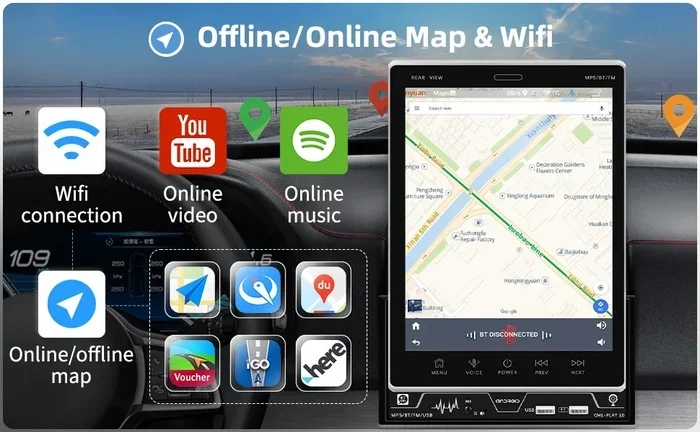
Yes, car navigation can work without internet, but it depends on your system and setup. Most modern GPS devices and smartphones offer offline map features that store data locally. Understanding how car navigation works offline saves time, reduces stress, and keeps you on track during long road trips.
Have you ever driven into a remote area and suddenly your car navigation stopped working? The screen freezes. The route disappears. You are left guessing which turn to take next. It is a frustrating experience that many drivers face, especially on long road trips through rural areas, mountains, or deserts.
The big question is simple: does car navigation work without internet? The short answer is yes. But the full answer is more interesting. Your car navigation system can absolutely function without an active internet connection. However, how well it works depends on several factors. These include your device type, map storage, and GPS hardware. In this guide, we will explain exactly how offline car navigation works, what you need to prepare, and how to avoid common mistakes that leave you lost on the road.
Whether you are planning a cross-country adventure or simply want to understand your car GPS better, this article covers everything you need to know. We will break down the technology in plain language and give you practical tips you can use right away.
Key Takeaways
- Offline maps work independently: You do not need a live data connection to get driving directions.
- Pre-download maps before your trip: This is the single most important step for reliable offline navigation.
- GPS signals come from satellites: Internet is not required for basic location tracking.
- Offline navigation saves data and battery: Your phone and car electronics perform better without constant streaming.
- Multiple apps support offline mode: Google Maps, Maps.me, and Waze offer offline features.
- Keep your car screen and accessories clean: A clear 3M Car Glass Cleaner setup and proper 7D Car Mats For Swift help your navigation display stay visible and functional.
📑 Table of Contents
- How Does Car Navigation Work Without Internet?
- Types of Car Navigation Systems That Work Offline
- Benefits of Using Offline Navigation on Road Trips
- Common Problems When Navigation Loses Internet Connection
- Tips to Make Your Car Navigation Work Without Internet
- Frequently Asked Questions About Offline Car Navigation
How Does Car Navigation Work Without Internet?
Many people assume that car navigation needs the internet to function. This is a common misconception. In reality, your navigation system relies primarily on GPS satellites, not on your data connection. Understanding this difference changes everything about how you plan your trips.
The Role of GPS Satellites
GPS stands for Global Positioning System. It is a network of satellites orbiting the Earth. Your car navigation device receives signals from these satellites to determine your exact location. This process happens entirely without any internet connection. Your device simply picks up radio signals from space and calculates your position based on those signals.
Here is how it works in simple steps:
- Satellites send signals: At least four GPS satellites send timing signals to your device.
- Your device calculates position: It uses the time delay of each signal to figure out where you are.
- Location appears on screen: Your car screen shows your position on a map.
This entire process works completely offline. You do not need Wi-Fi, cellular data, or any internet service. The GPS signal is always available as long as your device has a clear view of the sky.
Where Internet Actually Helps
If GPS works without internet, why do we often need a data connection? The internet helps with several things that make navigation better, but it is not strictly required. Here is what you gain with internet and what you lose without it:
- With internet: Real-time traffic updates, live rerouting, search for new places, and updated map data.
- Without internet: Basic turn-by-turn directions, pre-downloaded maps, and static route planning.
So the internet makes navigation smarter and more responsive. But it does not make navigation possible. Your navigation system can still guide you from point A to point B without any data connection at all.
Types of Car Navigation Systems That Work Offline
Not all navigation systems are the same. Different types of systems handle offline use in different ways. Let us explore the main types and how well each one works without internet.
Built-In Car Navigation Systems
Many modern cars come with factory-installed navigation systems. These units have their own internal maps stored on a hard drive or memory chip. Because the maps are already on the device, they work fully offline. You do not need any internet connection to get directions.
Some built-in systems also support map updates through USB drives or SD cards. You download the update on your home computer, transfer it to a USB drive, and plug it into your car. This keeps your offline maps current without needing a live internet connection in the car.
Smartphone Navigation Apps
Most people today use their smartphones for navigation. Apps like Google Maps, Apple Maps, and Waze are incredibly popular. The good news is that all of these apps support offline mode to some degree.
Here is what you need to know about each:
- Google Maps: Allows you to download specific regions for offline use. Once downloaded, you get full turn-by-turn directions without internet.
- Apple Maps: Supports offline downloads on iOS devices. You can save map areas for use without data.
- Waze: Has limited offline features compared to Google Maps. It works best with an active connection but can show your basic location offline.
For the best offline experience on your phone, Google Maps is the top choice. It lets you download entire states or countries for free. Just make sure you download the maps before you lose signal.
Dedicated GPS Devices
Standalone GPS units like Garmin and TomTom are excellent for offline navigation. These devices come with preloaded maps and do not need any internet connection. They are especially popular among truck drivers, RV owners, and people who frequently travel in areas with poor cellular coverage.
Many dedicated GPS devices also offer features like lane assistance, speed limit alerts, and fuel station locators. All of these work completely offline because the data is stored directly on the device.
Benefits of Using Offline Navigation on Road Trips
Using offline navigation offers several real advantages that many drivers overlook. If you are planning a road trip, these benefits alone are worth preparing for.
You Save Mobile Data
Navigation apps use a lot of data when they are actively streaming map tiles and traffic information. On a long road trip, this can quickly eat through your data plan. Offline navigation eliminates this problem entirely. Once your maps are downloaded, your phone uses almost no data at all.
This is especially valuable if you are traveling through areas with limited data coverage or expensive roaming charges. With offline maps, you avoid both data usage and unexpected charges on your bill.
Faster Route Response
Offline navigation responds faster than online navigation in many cases. When your device does not need to fetch data from the internet, it calculates routes instantly. This means less waiting and more driving. On a road trip, every second counts, and offline maps give you that speed advantage.
Reliability in Remote Areas
The biggest benefit of offline navigation is reliability. When you drive through mountains, forests, or rural highways, cellular signals can be weak or nonexistent. Your online navigation will struggle or fail entirely in these areas. Offline maps, however, continue working perfectly because they do not depend on any signal from cell towers.
Think about it this way. A GPS tracker based on satellites works everywhere with a clear sky view. A data-dependent app only works where cell towers exist. Offline navigation gives you the best of both worlds.
Better Battery Life
Streaming map data and constantly searching for a signal drains your phone battery quickly. Offline navigation uses significantly less power because your device is not constantly communicating with servers. This means your phone lasts longer on the road, which is especially helpful if you are using it for other things like music or emergency calls.
Common Problems When Navigation Loses Internet Connection
Even though offline navigation works well, losing your internet connection can still cause some issues. Knowing these problems ahead of time helps you prepare and avoid frustration.
Live Traffic Updates Stop
Without internet, your navigation cannot receive real-time traffic data. This means it will not know about accidents, road closures, or construction delays. Your route may not be the fastest one available. You will need to rely on your own knowledge or local radio updates for traffic conditions.
Search Results Become Limited
When you search for a restaurant, gas station, or hotel without internet, your results are limited to what is already stored on your device. If you have not downloaded maps for that area, you may not see any search results at all. This is why downloading the right map regions before your trip is so important.
Map Data Can Become Outdated
Offline maps do not update automatically. If a new road has been built or a street has been renamed, your offline map may not reflect these changes. You should periodically connect to Wi-Fi and update your offline map data to keep it current. Think of it like changing your 3M Cloth For Car regularly, you need to keep your maps fresh too.
Points of Interest May Be Missing
Some navigation apps show nearby points of interest using live data. Without internet, these features may not work. You might not see newly opened businesses or temporary events near your route. Plan ahead and research key stops before you go offline.
Voice Guidance May Be Limited
Some apps stream voice guidance audio online. Without internet, voice prompts may not work or may use a lower-quality offline version. Download offline voice packs if your app supports them. This ensures you still get clear spoken directions even without a data connection.
Tips to Make Your Car Navigation Work Without Internet
Getting your car navigation ready for offline use is simple. Follow these practical tips and you will never feel lost again, even in the most remote areas.
Download Maps Before You Leave
This is the single most important step. Open your navigation app on Wi-Fi at home and download the map region for your entire route. Include buffer areas around your destination so you have coverage if you take detours. Most apps let you choose specific regions or even entire countries for offline download.
For Google Maps, go to your profile, select Offline Maps, and choose Download Map. You can also search for a specific city or region and tap Download. The process is quick and free.
Check Your GPS Signal Strength
Before you start driving, check that your device has a strong GPS signal. Stand outside your car if possible. Wait for the satellite lock to connect. Once your location appears on screen, you are ready to go. A strong initial signal makes a huge difference in offline accuracy.
Keep Your Device Charged
Navigation uses significant battery power, especially on long trips. Use a quality car charger to keep your phone powered throughout the journey. A 12V To 230V Car Inverter can also help power multiple devices at once, which is useful if you are traveling with others who need to charge their phones too.
Use a Car Mount for Better Satellite Reception
Where you place your phone affects GPS signal quality. Mount your device on the dashboard or windshield where it has a clear view of the sky. Avoid placing it in the glove box or under a seat. A clear line of sight to satellites means stronger and more accurate positioning.
Keep Your Windshield Clean for Better Visibility
It sounds simple, but a dirty windshield can make it hard to see your navigation screen, especially at night. Use a quality glass cleaner like 3M Car Glass Cleaner before your trip. A clean windshield means a clearer view of your route and safer driving overall.
Bring a Backup Navigation Option
Even the best offline system can have issues. Always have a backup plan. Carry a printed map of your route. Save key addresses in your phone contacts. Consider bringing a second device with preloaded maps. Redundancy keeps you moving forward no matter what happens.
Prepare for Multiple Route Options
Before you go offline, review your route options. Save at least two or three alternative routes in your app. This way, if your primary route has a problem, you can quickly switch to a backup without needing internet to recalculate.
Update Your App and Maps Regularly
App updates often include bug fixes and improvements to offline functionality. Map updates add new roads and correct errors. While you do not need internet to use offline maps, you do need it occasionally to keep everything current. Make this a habit before every major trip.
Understand Your Car Electronics Setup
If you use a car stereo or infotainment system with navigation, make sure your 12V Car Socket To 3 Pin adapter is working properly. A stable power connection keeps your navigation system running smoothly without interruptions. Check all cables and connections before a long trip to avoid unexpected shutdowns.
Frequently Asked Questions About Offline Car Navigation
Can I use Google Maps offline for an entire cross-country trip?
Yes, you can. Google Maps lets you download map regions for offline use. For a cross-country trip, download maps for each state or region you will pass through. Each downloaded map can cover up to 2,500 square miles. Plan ahead and download all regions before you leave your home Wi-Fi network. This way, you will have full navigation support throughout your entire journey without needing any internet connection.
Does offline car navigation use GPS satellites?
Absolutely. Offline navigation relies entirely on GPS satellites for location tracking. Your device receives signals from satellites to determine your position. This process does not require any internet, cellular data, or Wi-Fi connection. As long as your device has a clear view of the sky, it can connect to GPS satellites and show your location on a map. This is why offline navigation works even in the most remote areas far from any cell tower.
How much storage space do offline maps take?
Offline map storage varies by app and region size. Google Maps offline downloads typically use between 200 MB and 500 MB per region. Larger areas or higher-detail maps may use more. A full country download can take several gigabytes. Before downloading, check your device storage and free up space if needed. A clean 3M Cloth For Car routine for your devices also helps keep everything running smoothly.
Will my navigation app still give me turn-by-turn directions offline?
Yes, most navigation apps provide full turn-by-turn directions when using offline maps. Google Maps, Apple Maps, and dedicated GPS devices all support this feature. The directions are calculated using the map data stored on your device. You will still receive voice prompts, visual turn indicators, and estimated arrival times. The only things you lose offline are real-time traffic updates and live rerouting based on current conditions.
Can I update offline maps without internet?
No, you need an internet connection to update offline maps. Map updates include new roads, changed street names, and corrected landmarks. To keep your offline maps current, connect to Wi-Fi at home or work and download the latest map data. Make this a regular habit, especially before long trips. Think of it like maintaining your car, just as you would use 3M Car Glass Cleaner regularly to keep your windshield clear, you should keep your maps updated regularly.
Is offline navigation safer than online navigation?
Offline navigation can be safer in certain situations. When you are in areas with poor cell coverage, an online navigation app may freeze or lose its route entirely. Offline navigation continues working reliably because it does not depend on any external connection. Additionally, offline mode reduces distractions since your phone is not constantly searching for a signal. This allows you to focus more on the road and less on your screen, which is a significant safety benefit on long drives.