How to Clear CAT Forklift Error Code Quickly and Safely
Clearing a CAT forklift error code doesn’t have to be scary or expensive. This guide walks you through the exact steps to diagnose, clear, and prevent error codes on your Caterpillar forklift. You will learn what the codes mean, which tools to use, and when to call a pro for help.
Every CAT forklift operator has been there. You hop into the cab, turn the key, and suddenly a warning light pops up on the dashboard. Maybe it is a check engine light. Maybe it is a hydraulic fault. Either way, an error code has appeared, and now you are stuck wondering what to do next.
The good news is that clearing a CAT forklift error code is something you can handle yourself in most cases. You do not need to be a certified mechanic. You do not need to call a service truck every time a light comes on. With the right knowledge and a few basic tools, you can get back to work in minutes.
This guide covers everything you need to know. We will walk you through what CAT forklift error codes actually mean, the most common codes you will see, the tools you need, and a clear step-by-step process to reset them safely. By the end, you will feel confident tackling those pesky warning lights head-on.
Key Takeaways
- Know your codes: Understanding CAT forklift error codes helps you fix problems faster and avoid unnecessary downtime.
- Use the right tools: A proper diagnostic scanner or CAT ET software makes clearing codes simple and safe.
- Follow safety first: Always shut down the forklift and disconnect power before attempting any reset.
- Don’t ignore warning lights: Clearing a code without fixing the root cause will just bring the error back.
- Prevent future issues: Regular maintenance and timely inspections keep your CAT forklift running smoothly.
- Call a specialist when needed: Some error codes point to deep electrical or engine problems that need professional attention.
📑 Table of Contents
Understanding CAT Forklift Error Codes
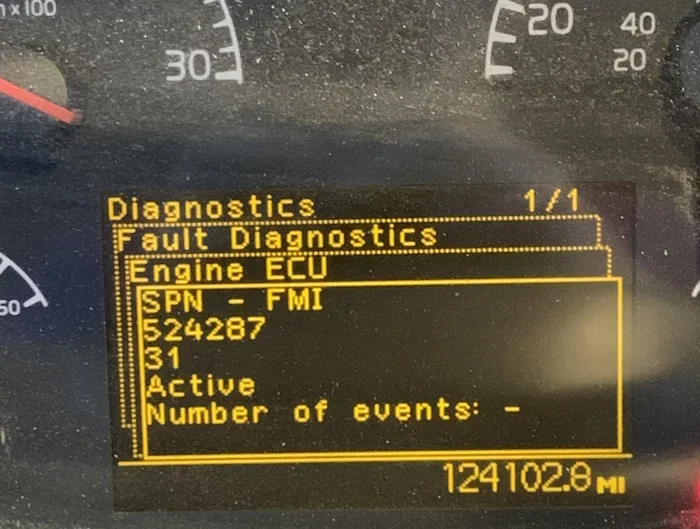
CAT forklifts use a built-in diagnostic system to monitor engine performance, hydraulic pressure, electrical circuits, and more. When something goes wrong, the system generates a fault code. These codes act like a language between your machine and you. They tell you exactly what area needs attention.
Each code corresponds to a specific problem. For example, a code might indicate low oil pressure, an overheated engine, or a sensor malfunction. The codes are stored in the forklift’s electronic control module. You can access them through a diagnostic reader or by reading the flash pattern on the dashboard.
How Error Codes Are Generated
CAT forklifts use electronic sensors throughout the machine. These sensors constantly check things like temperature, pressure, fuel levels, and exhaust emissions. When a sensor detects a value that falls outside the normal range, it sends a signal to the engine control unit. The control unit then stores a fault code and triggers a warning light.
It is important to understand that the code itself is a symptom, not the root cause. A code might tell you the engine is overheating, but the real problem could be a clogged radiator, a failing fan, or low coolant. This is why jumping straight to clearing the code without investigating is a bad idea.
Common Types of CAT Forklift Fault Codes
CAT forklifts generate several categories of fault codes. Here are the main types you will encounter:
- Engine fault codes: These relate to fuel delivery, exhaust aftertreatment, and combustion performance.
- Hydraulic fault codes: These point to issues with the hydraulic pump, valves, or fluid levels.
- Electrical fault codes: These involve wiring problems, sensor failures, or battery issues.
- Transmission fault codes: These indicate problems with gear shifting or transmission fluid.
- Safety system codes: These relate to seat belts, overhead guards, and emergency stop systems.
Knowing which category your code falls into helps you narrow down the problem fast. This saves time and prevents unnecessary part replacements.
Common CAT Forklift Error Codes and What They Mean
While every CAT model has its own code library, some error codes appear across many machines. Here are a few you are likely to run into during your forklift operation.
Low Oil Pressure Code
This is one of the most frequent codes on CAT forklifts. It usually shows up as a yellow or red warning light on the dashboard. The code is triggered when the oil pressure drops below the safe operating range. Common causes include low oil levels, a worn oil pump, or clogged oil filters.
If you see this code, check your oil level first. Top it off if needed. If the oil level is fine, inspect the filter for blockages. Sometimes a simple oil change clears the code and resolves the issue entirely.
Engine Overtemperature Code
An engine overtemperature code means your CAT forklift is running too hot. This can happen on hot days, during heavy lifting, or when the cooling system is not working properly. Check the coolant level, inspect the radiator for debris, and make sure the fan is engaging correctly.
Running the forklift with an overtemperature code active can cause serious engine damage. Always address this code before continuing work.
Hydraulic System Fault Code
Hydraulic fault codes often appear when the system pressure is too high or too low. This can be caused by a leaking hose, a failing pump, or contaminated hydraulic fluid. Check all visible hoses and connections for leaks. Top off the hydraulic fluid if needed, and replace any damaged components.
Sensor Fault Codes
Sensors can fail over time due to wear, moisture, or electrical issues. A sensor fault code does not always mean the sensor itself is bad. Sometimes a loose connection or corroded wire is the real culprit. Inspect the wiring harness and connectors before replacing expensive sensors.
Tools You Need to Clear CAT Forklift Error Codes
Having the right tools makes the process of clearing error codes much smoother. You do not need a garage full of expensive equipment, but a few key items will make your life much easier.
Diagnostic Scanner
A diagnostic scanner is the most important tool for working with CAT forklift error codes. This device connects to the forklift’s diagnostic port and reads the stored fault codes. It also allows you to clear the codes once the problem is fixed.
CAT has its own diagnostic software called CAT ET (Electronic Technician). This software works with compatible scanners and provides detailed code descriptions. Third-party scanners from brands like JPRO or ACTIA also work well with many CAT models.
Basic Hand Tools
You will also want to keep basic tools on hand. A set of wrenches, screwdrivers, pliers, and a multimeter can help you inspect connections, check fluid levels, and test electrical components. These simple tools often reveal the root cause of an error code.
Service Manual
Your CAT forklift service manual is an invaluable resource. It contains the full code library for your specific model, along with troubleshooting steps for each code. Keep a copy in your service area or download a digital version for quick reference.
Step-by-Step Guide to Clear CAT Forklift Error Code
Now let us walk through the actual process. Follow these steps carefully to clear CAT forklift error codes safely and effectively.
Step 1: Stop the Forklift Safely
Before you do anything, bring the forklift to a complete stop. Lower the forks to the ground, engage the parking brake, and turn off the engine. Disconnect the key from the ignition. Safety always comes first. You do not want to be working on a machine that could accidentally start up.
Step 2: Locate the Diagnostic Port
Most CAT forklifts have a diagnostic port located under the dashboard on the driver’s side. It is usually a round or rectangular connector. Refer to your service manual if you have trouble finding it. The port may be covered by a plastic cap or panel.
Step 3: Connect Your Diagnostic Scanner
Plug your diagnostic scanner into the port. Turn the scanner on and follow the on-screen prompts to establish a connection with the forklift. Select your CAT model and engine type from the menu. The scanner will then communicate with the forklift’s electronic control module.
Step 4: Read and Record the Error Codes
Before clearing any codes, use the scanner to read and record them. Write down every code number and its description. This information is critical for diagnosing the root cause. If you clear the codes without recording them, you lose valuable diagnostic information.
Step 5: Investigate and Fix the Root Cause
This is the most important step. Use the recorded codes to identify what is wrong. Check the relevant components, fluid levels, wiring, and connections. Fix or replace any damaged parts. Simply clearing the code without addressing the underlying issue will only cause the error to return within hours or days.
Step 6: Clear the Error Codes
Once you have fixed the problem, go back into your diagnostic scanner and select the option to clear or reset the fault codes. The scanner will send a command to the forklift’s control module to erase the stored codes. You should see a confirmation message on the scanner screen.
Step 7: Restart the Forklift and Verify
Reconnect the key, start the engine, and let the forklift idle for a few minutes. Watch the dashboard for any returning warning lights. If the same code comes back immediately, the fix was not complete. Go back and recheck your work. If no codes return, you have successfully cleared the error.
Quick Tips for Clearing Error Codes
- Always record codes before clearing them.
- Never clear codes while the forklift is running or in motion.
- Make sure the battery is fully charged before using a diagnostic scanner.
- If a code returns after clearing, do not keep resetting it. Find and fix the real problem.
- Keep your diagnostic software updated for the most accurate code definitions.
When to Seek Professional Help
Not every error code can be fixed with a simple reset. Some problems require the expertise of a trained CAT technician. Here are situations where you should call in the pros.
Repeated Error Codes After Repair
If you clear a code and it comes back within a few hours or after just one shift, there is likely a deeper issue. Repeated codes often point to intermittent electrical faults, internal engine damage, or complex hydraulic failures. These problems need professional diagnosis with advanced equipment.
Multiple Codes Appearing at Once
Seeing several error codes simultaneously can be overwhelming. This usually indicates a systemic problem, such as a failing alternator, a short in the wiring harness, or a major component failure. A professional technician can trace the root cause through systematic testing.
Codes Related to Safety Systems
Never ignore error codes tied to safety systems. These include codes for the braking system, stability control, overhead guard sensors, and seatbelt interlocks. A malfunction in these systems can put operators at serious risk. Always have safety-related codes inspected by a qualified technician.
Warranty Considerations
If your forklift is still under warranty, be cautious about clearing codes yourself. Some warranty agreements require that all diagnostics and repairs be performed by authorized CAT dealers. Check your warranty documentation before attempting any error code resets on a covered machine.
Preventing Future Error Codes on Your CAT Forklift
The best way to deal with CAT forklift error codes is to prevent them from happening in the first place. Regular maintenance and good operating habits go a long way toward keeping your machine healthy and error-free.
Follow the Recommended Maintenance Schedule
CAT provides detailed maintenance schedules for every forklift model. These schedules outline when to change oil, replace filters, check fluid levels, and inspect key components. Following this schedule religiously prevents many of the problems that trigger error codes.
Keep the Machine Clean
Dirt, debris, and moisture can cause sensor malfunctions and electrical issues. Regularly clean your forklift, especially around the engine compartment and diagnostic port. Pay extra attention to air intake vents and cooling fins, which can become clogged with dust and reduce performance.
Train Your Operators Properly
Many error codes are caused by operator error. Overloading the forklift, shifting gears improperly, or ignoring early warning signs can all lead to fault codes. Provide thorough training for every operator and enforce safe operating procedures at all times.
Use Genuine CAT Parts and Fluids
Using aftermarket or low-quality parts and fluids can trigger error codes and cause premature wear. Stick with genuine CAT parts and recommended fluids whenever possible. They are designed to work together and meet Caterpillar’s exact specifications.
Monitor Warning Lights Daily
Make it a habit to check your dashboard before every shift. If a warning light is on, do not ignore it. Address small problems before they become big, expensive repairs. A quick inspection at the start of each day can save you hours of downtime later.
Key Takeaways
- Understand the codes: CAT forklift error codes tell you exactly what system needs attention. Learn to read them and you will fix problems faster.
- Use the right tools: A diagnostic scanner and CAT ET software make reading and clearing codes straightforward and reliable.
- Always find the root cause: Clearing a code without fixing the underlying problem is a waste of time. The error will come back.
- Follow the step-by-step process: Stop safely, connect your scanner, record codes, fix the issue, clear codes, and verify the reset.
- Know when to call a pro: Repeated codes, multiple codes, and safety system codes should always be handled by a trained technician.
- Prevent future issues: Regular maintenance, clean machines, proper operator training, and genuine CAT parts keep error codes at bay.
Conclusion
Dealing with a CAT forklift error code does not have to be stressful. With the right knowledge and a calm approach, you can diagnose, fix, and clear most codes on your own. The key is to never rush the process. Take the time to understand what the code is telling you, fix the real problem, and then reset the system properly.
Remember that error codes are your forklift’s way of communicating with you. They are not your enemy. They are a valuable diagnostic tool that helps you catch problems early and keep your machine running at peak performance. When you treat every code as an opportunity to learn and improve, you become a better operator and a more effective maintenance team.
Start using the steps in this guide today. Keep your diagnostic tools charged, your service manual handy, and your maintenance schedule on track. Your CAT forklift will reward you with fewer breakdowns, less downtime, and a longer service life. And that means more productivity and fewer headaches for everyone on your team.
Frequently Asked Questions
Can I clear a CAT forklift error code without a diagnostic scanner?
Some basic codes can be cleared by disconnecting the battery for a few minutes, but this method is not recommended. It may erase other stored data and does not address the root cause. A diagnostic scanner is the safest and most reliable way to clear error codes properly.
Why does my CAT forklift error code keep coming back after I clear it?
This means the underlying problem has not been fully resolved. The fault code is a symptom, not the disease. Go back and recheck the component, fluid level, or connection related to that specific code. You may need to replace a part or repair a wiring issue that you missed the first time.
Is it safe to operate a CAT forklift with an error code active?
It depends on the code. Some codes indicate minor issues that do not affect immediate operation. However, codes related to engine performance, hydraulics, or safety systems should be addressed before you continue using the forklift. Operating with an active warning light can lead to further damage or unsafe conditions.
How often should I check my CAT forklift for error codes?
You should check your dashboard for any warning lights before every shift. A deeper diagnostic scan at least once a month helps catch hidden codes that may not trigger a dashboard light. Regular scanning keeps small problems from turning into major breakdowns.
What is CAT ET software and do I need it?
CAT ET stands for Electronic Technician. It is Caterpillar’s official diagnostic software that connects to your forklift’s electronic control module. It provides detailed code definitions, troubleshooting guides, and reset functions. While not strictly required, it is the most accurate and comprehensive tool for working with CAT forklift error codes.
Can a dead battery cause error codes on a CAT forklift?
Yes, a weak or dying battery can cause erratic sensor readings and trigger false error codes. If you are seeing unexplained codes, check your battery voltage and connections first. A simple battery test can save you a lot of unnecessary troubleshooting time.