The Complete Guide to Auto Card in Car for Beginners
An auto card in car is a smart access card or digital key that lets you unlock and start your vehicle without a traditional metal key. It uses RFID, NFC, or proximity technology to communicate with your car instantly. This beginner guide covers everything you need to know — from how auto cards work to choosing the right one for your vehicle.
If you have ever stood outside your car fumbling for keys, you know how frustrating it can be. An auto card in car solves that problem in a simple, elegant way. It is a small card — or sometimes a fob — that lets you unlock, lock, and even start your vehicle with a quick tap or wave.
Modern cars are getting smarter every year. Auto card technology is at the heart of that change. Whether you drive a sedan, SUV, or compact car, understanding how these cards work can make your daily drive smoother and more secure. This guide breaks it all down in plain, easy-to-follow language.
You do not need to be a car expert to get value from this article. We will walk you through every major topic step by step. By the end, you will feel confident about your vehicle access card and how to get the most from it.
Key Takeaways
- Auto cards make car access faster and more convenient than traditional keys.
- There are several types of auto cards, including RFID cards, smart key cards, and NFC-enabled digital cards.
- Understanding how your car card works helps you troubleshoot issues quickly.
- Using an auto card in car systems improves security and reduces theft risk.
- Choosing the right card depends on your vehicle model and your daily needs.
- Regular maintenance keeps your car access card working smoothly for years.
📑 Table of Contents
- What Is an Auto Card in Car?
- Types of Auto Cards Used in Vehicles
- How Auto Card Systems Work
- Benefits of Using an Auto Card in Car
- Common Problems with Auto Cards and How to Fix Them
- How to Choose the Right Auto Card for Your Vehicle
- Tips for Getting the Most from Your Auto Card
- Expert Insights on Auto Card Technology
- Conclusion
What Is an Auto Card in Car?
An auto card in car is a digital or smart card that replaces or works alongside your traditional car key. It communicates with your vehicle using radio signals, proximity sensors, or near-field communication (NFC). When you hold the card near the door handle or ignition, the car recognizes it and unlocks or starts the engine.
Think of it like a hotel key card. You tap it, and the door opens. Your car works the same way — just much more advanced. Car key cards have been around for a while, but newer versions offer far more features.
How Is It Different from a Regular Key?
A regular metal key has a unique cut pattern. The lock cylinder reads that pattern and allows entry. An auto access card uses encrypted radio signals instead. This means no moving parts, no physical contact, and far less wear and tear over time.
Here are some key differences:
- Traditional keys require physical insertion into a lock.
- Auto cards work through proximity — you just need to be near the car.
- Car smart cards can store more data, like your driving preferences or insurance details.
- Digital vehicle cards are harder to copy, making them more secure than standard keys.
Why Do Cars Use Auto Cards?
Car makers adopted auto card technology for several reasons. First, it adds a layer of convenience. You can keep the card in your pocket or wallet and still access your car. Second, it improves security. RFID car access systems use rolling encryption codes that change every time you use them.
Third, it supports modern features like remote start, valet mode, and personalized seat settings. All of these rely on the vehicle smart card to identify the driver and load preferences automatically.
Types of Auto Cards Used in Vehicles
Not all auto cards in car systems are the same. Different manufacturers use different technologies. Understanding the types helps you know what to expect and how to get the most from your setup.
RFID Car Access Cards
RFID stands for Radio Frequency Identification. These cards emit a low-frequency signal that your car antenna picks up. You simply hold the card near the door pillar or dashboard, and the car unlocks.
Many older smart key systems use RFID. Brands like Toyota and Honda have relied on this technology for years. RFID car access cards are reliable and affordable, which is why they remain popular.
NFC-Enabled Digital Cards
NFC stands for Near Field Communication. It works like the tap-to-pay feature on your phone or credit card. You tap the card against a reader, and the car responds instantly.
Newer vehicles from brands like Tesla, BMW, and Hyundai use NFC car key technology. Some even let you use your smartphone as a digital card through their app. This is one of the fastest-growing trends in car digital wallet integration.
Proximity Cards and Key Fobs
A proximity card works when it is within a few feet of the car. You do not need to pull it out or tap it. The car detects the signal automatically and unlocks the doors.
Key fob cards combine the convenience of a proximity card with the compact size of a key fob. Many modern car smart key systems use this hybrid approach. You get the best of both worlds — no physical contact and no need to dig through your pockets.
Vehicle Identification Cards
Some auto cards serve a dual purpose. They act as both an access tool and an identification document. These vehicle identification cards may store your name, license number, insurance details, and registration info.
They are especially useful for rideshare drivers, car rentals, and fleet management. Instead of carrying multiple cards, you keep one vehicle access card that handles everything.
How Auto Card Systems Work
Understanding the basics of auto card reader technology helps you appreciate what happens every time you approach your car. The process is faster than you might think.
The Communication Process
When you walk toward your car with an auto card in car system active, here is what happens:
- The car’s antenna sends out a low-energy radio signal.
- The card receives the signal and responds with its unique encrypted ID.
- The car’s computer verifies the ID against its stored list of authorized cards.
- If the ID matches, the car unlocks the doors or allows the engine to start.
This entire process takes less than a second. It feels like magic, but it is just smart engineering.
Encryption and Security
Car security card systems use rolling codes. This means the access code changes every time you use the card. Even if someone intercepts the signal, they cannot reuse it. This makes auto card systems far more secure than traditional keys.
Many systems also include a car access card PIN or biometric backup. If the card battery dies or the signal fails, you can still get into your car using a backup method.
Battery and Power Considerations
Most auto cards run on small coin-cell batteries. These last for one to two years depending on usage. When the battery starts to fade, you may notice the card working inconsistently — especially in cold weather.
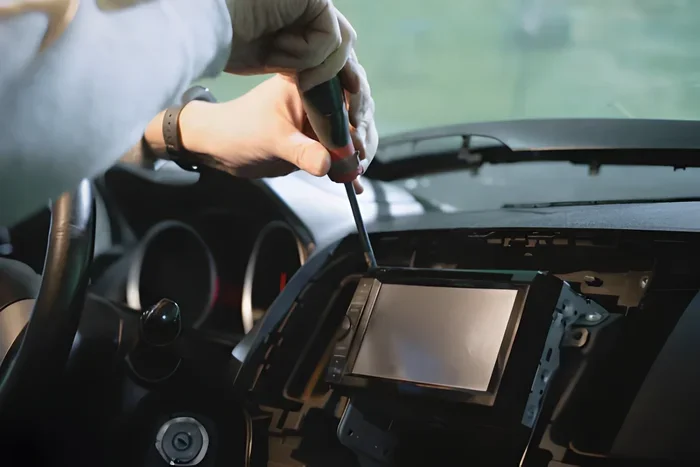
Replacing the battery is usually simple. Open the card with a small screwdriver, swap the battery, and you are back in business. Keep a spare battery in your glove box so you are never caught off guard.
Benefits of Using an Auto Card in Car
Auto card in car systems offer real advantages for daily drivers and occasional road-trippers alike. Here is why more car owners are making the switch.
Convenience and Speed
The biggest benefit is convenience. You never need to dig for keys again. Just keep your car access card in your pocket, wallet, or purse, and the car unlocks as you approach. This is especially helpful when your hands are full with groceries, a child, or a laptop bag.
Starting the engine is just as easy. Press the start button while holding the card nearby, and the car fires up. No fumbling with a keyhole in the dark or awkward parking lot moments.
Enhanced Security
Auto card systems are harder to steal from than traditional locks. The rolling encryption codes make it nearly impossible for thieves to clone your card. Many systems also include anti-theft alerts that notify you if someone tries to tamper with the vehicle smart card reader.
Some cars let you set up valet mode through the card system. This limits the car’s speed, locks the glove box, and disables certain features — all controlled through the card.
Personalization
When the car recognizes your auto card, it can load your personal settings automatically. This includes seat position, mirror angles, climate control preferences, and even your favorite radio stations. It is like the car remembers who you are.
Families with multiple drivers benefit the most from this feature. Each person can have their own car smart key card, and the car adjusts to their preferences every time.
Remote Features
Many auto card systems support remote functions. You can lock or unlock the car from a distance, locate it in a crowded parking lot, or even preheat or pre-cool the cabin before you get in.
Some advanced systems let you share temporary access with friends or family. You send a digital card through an app, and they can use their phone to open and start the car. This is perfect for carpooling or lending your car to a trusted friend.
Common Problems with Auto Cards and How to Fix Them
Auto cards in car systems are reliable, but they are not perfect. Here are the most common issues and simple fixes.
Card Not Recognized by the Car
This is the most common complaint. If your auto card reader does not detect the card, try these steps:
- Check the card battery and replace it if needed.
- Hold the card closer to the reader — some cars have specific spots on the door pillar or center console.
- Make sure the card is not damaged or cracked.
- Remove metal objects or wallets that might block the signal.
Interference from Other Devices
RFID car access signals can sometimes interfere with other electronic devices. If you keep your card next to your phone or a wallet with multiple cards, the signal may get confused.
Quick tip: store your car access card in a dedicated slot in your wallet or bag. This reduces interference and keeps the signal strong.
Card Stops Working After a Battery Change
Sometimes replacing the battery resets the card’s pairing with the car. You may need to re-sync it. Check your owner’s manual for the re-pairing steps. Usually, it involves holding a button on the card and a button on the car’s console simultaneously.
Cold Weather Issues
Extreme cold can drain the card battery faster. If you live in a cold climate, keep your auto card in car close to your body — inside a jacket pocket, not in an outer bag. Body heat helps maintain the battery charge.
How to Choose the Right Auto Card for Your Vehicle
Not every auto card fits every car. Choosing the right one depends on your vehicle, your needs, and your budget. Here is how to make the best decision.
Check Your Car’s Compatibility
Start by checking your car’s manual or contacting the manufacturer. Not all auto cards in car systems are universal. Some brands use proprietary card formats that only work with their vehicles.
If you drive a Toyota, look for Toyota-specific smart key cards. If you have a Tesla, the phone app may already serve as your primary card. Matching the card to your car’s system ensures smooth operation.
Consider Your Daily Routine
Think about how you use your car every day. Do you carry a lot of items in your pockets? A slim RFID car access card might be better than a bulky fob. Do you share your car with family members? Consider a system that supports multiple vehicle access cards with different permission levels.
Look for Extra Features
Some auto cards come with extra features worth considering:
- Remote start capability — start the car from a distance.
- GPS tracking — locate your card if you lose it.
- Multi-vehicle support — use one card for more than one car.
- Emergency alert features — the card can send an SOS signal.
Budget and Replacement Costs
Auto card prices vary widely. Basic RFID cards cost as little as $10 to $20. Advanced smart cards with NFC and app integration can run $50 to $150 or more. Factor in replacement costs too — losing a car smart key card can be expensive if you need a dealer to reprogram it.
Quick tip: always keep a spare card in a safe place at home. It costs very little and saves you from expensive emergency replacements.
Tips for Getting the Most from Your Auto Card
A little care goes a long way with your auto card in car system. Follow these simple tips to keep everything running smoothly.
Protect the Card from Damage
Drop your card on a hard surface and it might stop working. Keep it in a protective sleeve or a dedicated card slot. Avoid exposing it to extreme heat, water, or direct sunlight for long periods.
Update Your Card Software
Some advanced vehicle smart cards receive firmware updates. These updates can improve performance, fix bugs, and add new features. Check your car’s app or dealer portal for available updates every few months.
Know Your Backup Options
Every auto card system should have a backup. This might be a physical key hidden in a secure compartment, a phone app override, or a dealer service number. Know your backup before you need it.
Teach Everyone Who Drives the Car
If multiple people drive the same car, make sure everyone knows how the auto card works. Show them where to hold it, how to pair it, and what to do if it fails. A five-minute lesson can save a lot of frustration later.
Monitor Battery Life
Set a reminder to check your card battery every six months. Most auto cards give a warning signal when the battery is low — usually a flashing light or a weak signal. Replace it promptly to avoid getting locked out.
Expert Insights on Auto Card Technology
Auto card in car technology is evolving fast. Industry experts predict several exciting developments in the near future. Here is what you should know.
The Rise of Phone-as-a-Key
More car makers are moving toward phone-as-a-key systems. Your smartphone becomes the auto card. You use Bluetooth or NFC to unlock and start the car. Tesla, BMW, and several new EV brands have already adopted this approach.
Experts believe that within five years, most new cars will support phone-based access as the primary method. Physical cards may become optional extras rather than standard equipment.
Integration with Smart Home Systems
Future auto cards may integrate with your smart home. Imagine pulling into your driveway, and the car automatically unlocks your garage, turns on the lights, and adjusts your thermostat. Vehicle smart card technology is moving toward this kind of seamless integration.
Improved Security Through Biometrics
Some manufacturers are testing auto card systems that combine card access with biometric verification. You tap the card and scan your fingerprint or face. This adds an extra layer of car security card protection that is very hard to bypass.
These auto card reader advancements show that the technology is only getting better. The future of vehicle access is faster, smarter, and more secure than ever before.
Conclusion
An auto card in car is one of the simplest yet most impactful upgrades you can make to your driving experience. It replaces the hassle of traditional keys with a quick tap, a wave, or a phone tap. From RFID car access to NFC car key systems, the options are diverse and getting better every year.
Understanding your auto card means understanding your car. You will troubleshoot faster, choose better accessories, and enjoy every drive more. Keep your card protected, know your backup options, and stay curious about new features.
The world of car smart key technology is moving fast. Staying informed helps you keep up. Whether you are a first-time car owner or a seasoned driver, the auto card in car guide above gives you a solid foundation. Use it, share it, and enjoy the convenience that modern vehicle access brings.
Frequently Asked Questions
What exactly is an auto card in car?
An auto card in car is a smart access card that lets you unlock and start your vehicle without a traditional metal key. It uses RFID, NFC, or proximity technology to communicate with your car instantly. Think of it like a digital key that fits right in your wallet.
Can I use my phone instead of a physical auto card?
Yes, many newer vehicles support phone-as-a-key systems. You can use your smartphone through Bluetooth or NFC to unlock and start your car. Check with your car manufacturer to see if your phone model and car are compatible.
How long does the battery in an auto card last?
Most auto cards last one to two years on a single coin-cell battery. Cold weather can drain the battery faster. If your card starts working inconsistently, it is usually time to replace the battery with a simple swap.
What should I do if my auto card stops working?
First, check the battery and replace it if needed. Then, try holding the card closer to the reader — some cars have specific spots for the card. If that does not work, consult your owner’s manual for re-syncing steps or contact your dealer.
Are auto cards more secure than traditional car keys?
Yes, auto cards are generally more secure. They use rolling encryption codes that change every time you use them, making it very hard for thieves to clone the signal. Many systems also include PIN backups or biometric verification for extra protection.
Can I get a replacement auto card if I lose mine?
Yes, but replacement costs vary. Basic RFID car access cards are affordable, while advanced smart cards may cost more. Contact your car dealer or manufacturer for a replacement. Always keep a spare card in a safe place to avoid this situation.