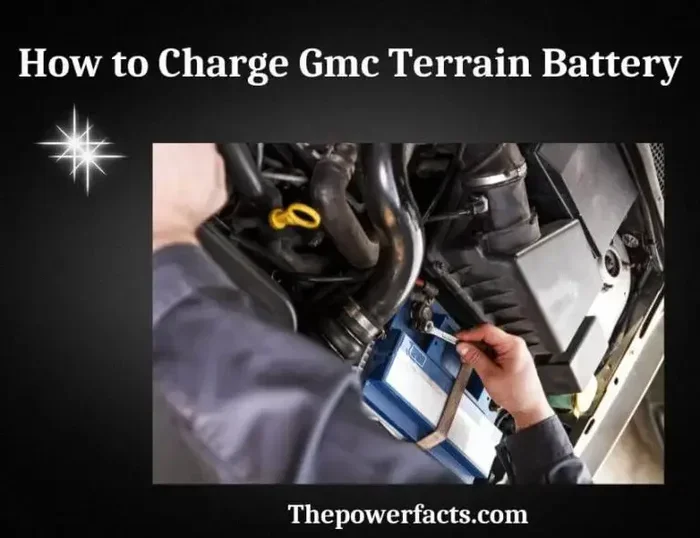
How to Charge Your GMC Terrain Battery the Right Way
Charging your GMC Terrain battery correctly keeps your vehicle running strong and prevents unexpected breakdowns. Whether you drive a standard or hybrid GMC Terrain, this guide covers every method from jump starts to trickle charging. You will learn the right tools, safe steps, and simple habits that extend your battery life significantly.
Your GMC Terrain is a reliable SUV that handles daily commutes, road trips, and everything in between. But none of that matters if your battery dies. Knowing how to charge your GMC Terrain battery the right way saves you time, money, and a lot of frustration. Whether your vehicle uses a traditional 12-volt setup or a hybrid powertrain, this guide walks you through every method, tip, and precaution you need.
Many drivers ignore their battery until something goes wrong. A dead battery leaves you stranded, and a poorly charged battery shortens the life of your electrical system. Charging your GMC Terrain battery correctly is not complicated, but it does require the right approach. This article breaks it all down into simple, actionable steps.
We will cover battery types, charging methods, safety tips, and the habits that keep your battery healthy for years. By the end, you will feel confident handling your GMC Terrain battery like a pro. Let us get started.
Key Takeaways
- Know your battery type: The GMC Terrain uses either a standard 12-volt battery or a hybrid battery pack depending on your model year and trim.
- Use the right charger: A compatible battery charger or trickle charger prevents overcharging and damage to your GMC Terrain battery.
- Check terminals regularly: Clean, corrosion-free battery terminals ensure a strong and reliable connection every time.
- Avoid common mistakes: Never jump-start incorrectly and never let your battery fully drain before recharging.
- Hybrid batteries need special care: The hybrid battery in your Terrain operates differently and requires specific charging awareness.
- Cold weather affects performance: Low temperatures reduce battery capacity, so winter preparation is essential.
- When in doubt, see a pro: Professional diagnostics can catch problems early before they become expensive repairs.
📑 Table of Contents
- Understanding Your GMC Terrain Battery
- Signs Your GMC Terrain Battery Needs Charging
- How to Charge Your GMC Terrain Battery
- Essential Charging Accessories for Your GMC Terrain
- Battery Maintenance Tips for Long Life
- Common Mistakes When Charging a GMC Terrain Battery
- Comparison: Charging Methods at a Glance
- Expert Insights on GMC Terrain Battery Health
- When to Seek Professional Help
- Conclusion
Understanding Your GMC Terrain Battery
Before you charge anything, you need to know what kind of battery your Terrain uses. Different model years and trims come with different battery setups. Understanding your specific configuration helps you choose the right charging method.
Standard 12-Volt Battery
Most GMC Terrain models use a standard 12-volt lead-acid battery. This battery powers the engine starter, lights, infotainment system, and all other electronics. When the engine runs, the alternator recharges this battery automatically. However, if your vehicle sits unused for a while, the charge can drop below the level needed to start the engine.
The 12-volt battery is the one most drivers think about when they hear “charge GMC Terrain battery.” It is also the battery you can access under the hood and charge with an external charger or jumper cables.
Hybrid Battery System
If you own a GMC Terrain Hybrid or a plug-in hybrid variant, you have a second battery pack. This hybrid battery powers the electric motor and assists the gas engine. It also captures energy through regenerative braking. The hybrid battery recharges itself during driving, but understanding how it works helps you maintain optimal performance.
Interestingly, the hybrid battery in your Terrain behaves differently depending on driving conditions. At what speed hybrids switch to gas depends on battery charge level, speed, and throttle input. Similarly, at what point a hybrid switches to gas during low battery situations is managed by the vehicle’s computer system automatically. You do not need to manually charge the hybrid battery in most cases, but keeping the 12-volt auxiliary battery healthy is essential for the hybrid system to function properly.
Signs Your GMC Terrain Battery Needs Charging
Spotting the warning signs early prevents a dead battery on a bad day. Your vehicle gives you several signals when the battery health is declining.
- Slow engine crank: The engine takes longer than usual to start. This is often the first sign of a low charge.
- Dashboard warning light: The battery warning light on your dashboard illuminates. This indicates a charging system issue or low battery voltage.
- Dim headlights: Your headlights appear dimmer than normal, especially when idling.
- Electrical issues: Power windows move slowly, the infotainment system flickers, or accessories behave erratically.
- Swollen battery case: The battery casing looks bloated or damaged. This signals overcharging or internal failure.
- Old battery age: Most car batteries last three to five years. If yours is older, regular testing helps you stay ahead of failure.
If you notice any of these signs, it is time to check your battery charge level and take action. Ignoring these warnings can leave you stranded or damage other parts of the electrical system.
How to Charge Your GMC Terrain Battery
Several methods exist for charging your battery. The right one depends on your situation, tools available, and battery type. Here are the most effective approaches.
Method 1: Using a Battery Charger
A dedicated battery charger is the safest and most effective way to charge your GMC Terrain battery at home. Trickle chargers deliver a slow, steady charge that prevents overcharging. Smart chargers adjust the charging rate automatically based on battery condition.
Follow these steps for safe charging:
- Turn off the engine and all electrical accessories.
- Open the hood and locate the battery. Identify the positive (+) and negative (-) terminals.
- Connect the charger cables to the battery terminals. Red goes to positive, black goes to negative.
- Plug in the charger and set it to the appropriate voltage (12 volts for standard batteries).
- Turn on the charger and monitor the process. Most smart chargers indicate when charging is complete.
- Disconnect the charger cables in reverse order: negative first, then positive.
This method works well when your vehicle will sit for an extended period. A trickle charger keeps your battery at full charge without risk of damage. It is also the best option for maintaining battery health during seasonal storage.
Method 2: Jump Starting
A jump start provides quick power when your battery is too low to start the engine. You need jumper cables and a working vehicle with a healthy battery. This method is a temporary solution, not a replacement for proper charging.
Here is the safe jump-start process:
- Park the working vehicle close to your Terrain but do not let them touch.
- Turn off both vehicles and engage the parking brakes.
- Connect the red cable to the positive terminal of your dead battery.
- Connect the other red clamp to the positive terminal of the working battery.
- Connect the black cable to the negative terminal of the working battery.
- Connect the other black clamp to an unpainted metal surface on your Terrain’s engine block (not the battery terminal).
- Start the working vehicle and let it run for a few minutes.
- Try starting your Terrain. If it starts, let it run for at least 15 minutes.
- Disconnect the cables in reverse order.
After a jump start, drive your Terrain for at least 20 to 30 minutes. This allows the alternator to recharge the battery. However, if your battery is old or damaged, a jump start may only provide temporary relief. You should still get the battery tested or use a proper charger afterward.
Method 3: Using a Portable Jump Starter
A portable jump starter is a compact device you keep in your trunk. It works like a mini battery pack and delivers the power needed to crank your engine. These devices are convenient for emergencies and do not require another vehicle.
To use a portable jump starter, simply connect the positive and negative clamps to the corresponding battery terminals, turn on the device, and start your Terrain. Once the engine is running, disconnect the clamps. This method is quick, safe, and perfect for roadside situations.
Essential Charging Accessories for Your GMC Terrain
Having the right accessories makes charging easier and safer. Not all chargers and cables are created equal, and using the wrong ones can harm your battery or electrical system.
Choosing the Right Battery Charger
When selecting a charger for your GMC Terrain battery, consider these factors:
- Battery type compatibility: Make sure the charger works with lead-acid batteries or hybrid battery systems.
- Amperage rating: A 2 to 10 amp charger suits most vehicle batteries. Lower amperage means slower but gentler charging.
- Smart vs. manual: Smart chargers adjust automatically and prevent overcharging. Manual chargers require you to monitor the process.
- Trickle charging capability: This feature is ideal for long-term battery maintenance.
- Portability: If you travel frequently, a lightweight or portable charger adds convenience.
Power Inverters and Accessories
Some drivers use power inverters to charge devices or even maintain battery health through small loads. A 12V to 230V car inverter converts your vehicle’s DC power to AC power, allowing you to run household devices from your Terrain. While inverters are not battery chargers themselves, they draw power from the battery and can contribute to battery drain if used while the engine is off. Use them responsibly and only when the engine is running.
12V Accessories and Adapters
Your Terrain’s 12-volt power socket powers everything from phone chargers to dash cams. If you need to adapt this socket for different plug types, a 12V car socket to 3-pin adapter lets you use standard household plugs. This is handy for charging laptops or small appliances on the road. Just remember that these accessories draw from the same electrical system that charges your battery, so use them wisely.
Battery Maintenance Tips for Long Life
Prevention is always better than cure when it comes to battery maintenance. A few simple habits can extend your battery life and keep your Terrain starting reliably every time.
Keep Terminals Clean
Battery terminals collect corrosion over time. White or greenish buildup on the terminals restricts electrical flow and weakens your connection. Clean your terminals regularly with a wire brush and a baking soda solution. After cleaning, apply a thin layer of petroleum jelly to prevent future corrosion.
Drive Your Vehicle Regularly
The alternator recharges your battery while you drive. If your Terrain sits unused for days or weeks, the battery slowly loses charge. Short trips may not provide enough time for a full recharge either. Aim to drive your Terrain for at least 20 to 30 minutes several times a week to maintain healthy charge levels.
Limit Parasitic Drains
Parasitic drains occur when accessories draw power after the engine is off. Interior lights, dash cams, phone chargers left plugged in, and aftermarket electronics all contribute to battery drain. Turn off all accessories before shutting down your vehicle, and unplug devices when the engine is not running.
Check the Charging System
Your alternator keeps the battery charged during driving. If the alternator fails, your battery will not recharge properly. Have your charging system tested during regular oil changes or maintenance visits. A simple voltage test at the battery terminals can reveal whether the alternator is doing its job.
Protect Against Extreme Temperatures
Both extreme heat and cold affect battery performance. High temperatures cause fluid evaporation and accelerate internal corrosion. Cold temperatures reduce battery capacity and make it harder to crank the engine. In very cold climates, consider using a battery insulator or parking your Terrain in a garage when possible.
Common Mistakes When Charging a GMC Terrain Battery
Even well-meaning drivers make mistakes that damage their batteries or compromise safety. Avoid these common errors to protect your GMC Terrain battery and yourself.
- Connecting cables in the wrong order: Always connect positive first and disconnect negative first. Reversing the order can cause sparks and damage the electrical system.
- Using the wrong charger voltage: A 24-volt charger on a 12-volt battery will destroy it. Always match the charger to your battery voltage.
- Leaving a charger connected too long: Even smart chargers can cause issues if left connected indefinitely. Follow the manufacturer’s recommended charging time.
- Ignoring the hybrid 12-volt auxiliary battery: In hybrid Terrain models, the 12-volt auxiliary battery supports the hybrid system. Neglecting this battery can cause the entire hybrid system to malfunction.
- Jump-starting a frozen battery: Never attempt to jump-start a frozen battery. The ice inside can cause the battery to explode. Thaw the battery first in a warm location.
- Driving immediately after a jump start without letting the alternator charge: Give your battery at least 15 to 30 minutes of running time to recover.
Quick Tip: If you are unsure about any charging procedure, consult your GMC Terrain owner’s manual or visit a certified service center. The manual contains model-specific instructions that account for your exact battery configuration and electrical system.
Comparison: Charging Methods at a Glance
| Method | Best For | Time Required | Safety Level | Cost |
|---|---|---|---|---|
| Battery Charger | Home charging, long-term maintenance | 2 to 12 hours | Very High | $30 to $60 |
| Jump Start (Another Vehicle) | Emergency starting | 10 to 20 minutes | Moderate | Free (if you have cables) |
| Portable Jump Starter | Roadside emergencies | 5 to 10 minutes | High | $50 to $150 |
| Trickle Charger | Seasonal storage, long idle periods | 12 to 48 hours | Very High | $25 to $50 |
| Alternator (Driving) | Recharging after a jump start | 20 to 30 minutes of driving | Very High | Free |
Each method has its place. For routine maintenance, a battery charger or trickle charger is your best bet. For emergencies, a portable jump starter or jumper cables from another vehicle get you back on the road quickly. The alternator does the heavy lifting during normal driving, but it cannot fully recharge a deeply depleted battery on its own.
Expert Insights on GMC Terrain Battery Health
Automotive experts agree that battery care is one of the simplest ways to avoid unexpected vehicle problems. Here are insights from seasoned technicians who work with GMC vehicles daily.
Test your battery regularly. A simple voltage test with a multimeter takes two minutes. A fully charged 12-volt battery should read 12.6 volts or higher. Anything below 12.4 volts means the battery needs charging. Below 12.0 volts indicates a deeply discharged battery that may need replacement.
Replace your battery proactively. Do not wait for your battery to die completely. If your battery is more than three years old and showing signs of weakness, replace it before it leaves you stranded. Most service centers can test your battery for free and recommend the right replacement.
Understand your hybrid system. For Terrain Hybrid owners, the interplay between the hybrid battery and the 12-volt auxiliary battery is critical. The vehicle’s computer manages power distribution, but a weak 12-volt battery can prevent the hybrid system from engaging properly. Keeping both batteries healthy ensures seamless operation.
Invest in quality products. Cheap chargers and cables may save money upfront but can damage your battery or electrical system. Choose reputable brands with safety certifications and smart charging technology.
When to Seek Professional Help
Most charging tasks are straightforward and safe for DIY enthusiasts. However, some situations call for professional assistance. If your battery dies frequently despite regular charging, there may be an underlying issue with the alternator, starter, or electrical system. A certified GMC technician can diagnose these problems with specialized equipment.
Additionally, if you own a hybrid Terrain and notice the hybrid system warning lights, do not attempt to service the high-voltage hybrid battery yourself. The hybrid battery operates at significantly higher voltages and requires trained professionals for inspection and service.
Regular maintenance visits also give technicians the chance to spot battery issues early. They can check cable integrity, terminal condition, and charging system performance all in one appointment. This proactive approach saves you from unexpected breakdowns and expensive repairs down the road.
Conclusion
Charging your GMC Terrain battery the right way is one of the simplest yet most impactful things you can do for your vehicle. Whether you use a battery charger at home, jump-start in an emergency, or rely on a portable starter, the key is to act promptly and safely. Regular maintenance, clean terminals, and smart driving habits keep your battery healthy for years.
Remember that the 12-volt battery and the hybrid battery (if applicable) work together to keep your Terrain running. Taking care of both ensures reliable performance in all conditions. Follow the tips in this guide, avoid the common mistakes, and your GMC Terrain battery will serve you well mile after mile.
Take a few minutes today to check your battery health. A little prevention now saves you from a major headache later. Your Terrain will thank you every time you turn the key.
Frequently Asked Questions
How long does it take to charge a GMC Terrain battery?
Charging time depends on the method and battery condition. A standard battery charger typically takes 2 to 12 hours for a full charge. A jump start provides enough power to start the engine immediately, but driving for 20 to 30 minutes allows the alternator to restore the charge.
Can I charge a GMC Terrain hybrid battery at home?
The hybrid battery in your Terrain recharges itself during driving through regenerative braking and the engine. You do not need to plug it in or charge it manually at home. However, the 12-volt auxiliary battery does need regular charging and maintenance like any standard car battery.
What is the best battery charger for a GMC Terrain?
A smart charger with automatic voltage detection works best for most GMC Terrain models. Look for a 12-volt charger with trickle charging capability and overcharge protection. Brands like NOCO, CTEK, and Battery Tender are popular choices among GMC owners.
How do I know if my GMC Terrain battery needs replacement?
Signs include slow engine cranking, frequent jump starts, dashboard battery warning lights, and a battery age over four years. Have a technician perform a load test to confirm whether replacement is necessary.
Is it safe to charge my GMC Terrain battery in cold weather?
Yes, but cold weather reduces battery capacity and charging efficiency. If possible, charge your battery in a garage or sheltered area. A battery blanket or insulator can help maintain warmth and performance during freezing temperatures.
What should I do if my GMC Terrain battery keeps dying?
A battery that keeps dying may indicate a parasitic drain, a failing alternator, or an old battery that needs replacement. Have a professional inspect your charging system, test for parasitic draws, and evaluate the battery’s overall condition.