Do You Have to Pay Monthly for Navigation in a Car
Do you have to pay monthly for navigation in a car? The short answer is no — not anymore. While some factory-built navigation systems charge a subscription fee, free apps like Google Maps, Waze, and Apple CarPlay have changed the game entirely. Most drivers can navigate for zero dollars per month using just their smartphone and a simple mount or a 12V car socket to 3 pin adapter to keep their phone charged on long trips.
You just bought a car. The salesperson tells you about this amazing navigation system. Then comes the question you did not expect. “Do you have to pay monthly for navigation in a car?” It feels like every new feature comes with a hidden cost these days. Streaming services. Connectivity packages. Subscription fees for things that used to be free.
Navigation in a car should be simple. You type in a destination. The screen shows you the way. So why does it feel so complicated now? The truth is, the answer depends on what kind of car you drive and what navigation system it has. Some systems are completely free. Others charge a monthly fee. And many drivers do not even need the built-in system at all.
In this guide, we will break down everything you need to know. We will look at factory navigation systems, free app alternatives, and how to save money. By the end, you will know exactly whether you need to pay for car navigation or not. Let us get into it.
Key Takeaways
- Most built-in navigation systems no longer require mandatory monthly payments, but some premium brands still offer paid live services.
- Free navigation apps like Google Maps, Waze, and Apple Maps provide turn-by-turn directions at no cost.
- Apple CarPlay and Android Auto mirror your phone’s navigation app on the car screen, replacing expensive factory systems.
- Offline maps let you navigate without a data connection, saving on mobile data costs during road trips.
- Older cars can be upgraded with affordable GPS devices, phone mounts, or 7-inch car music system units with built-in navigation.
- Subscription fees for factory navigation typically cover live traffic, map updates, and concierge services — all of which have free alternatives.
- Rental cars often include navigation, but bringing your own phone setup saves time and money.
📑 Table of Contents
- What Kind of Navigation System Do You Have?
- Do Built-In Car Navigation Systems Charge Monthly Fees?
- Free Navigation Alternatives That Work Great
- What Does a Navigation Subscription Actually Cover?
- How to Save Money on Car Navigation
- Common Mistakes People Make with Car Navigation
- Expert Insights on Car Navigation Costs
- How Navigation Costs Compare: Factory vs. Free Apps
- Final Thoughts: Do You Really Need to Pay?
What Kind of Navigation System Do You Have?
Before we talk about costs, you need to understand what type of navigation your car uses. Not all systems are the same. Each type has different pricing, features, and limitations.
Factory-Built Navigation Systems
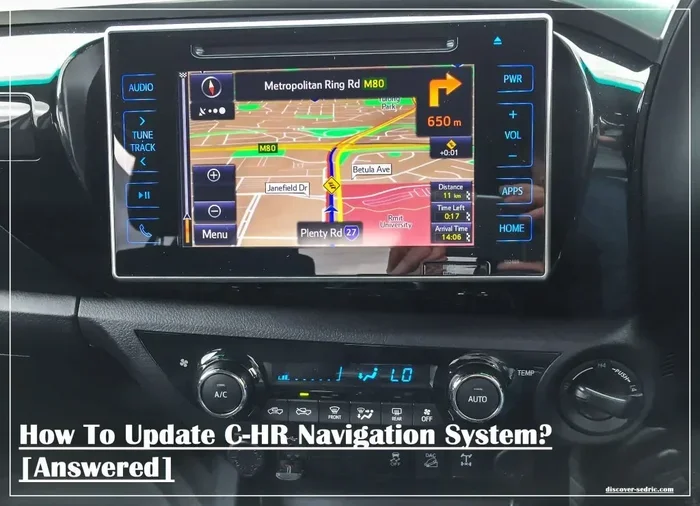
Many new cars come with a navigation system built right into the dashboard. These are called factory or OEM navigation systems. They include a screen, a GPS receiver, and preloaded maps. Brands like Ford, Toyota, BMW, and Mercedes-Benz all offer versions of these systems.
Some factory systems are free to use forever. Others charge a monthly or annual fee. The cost depends on the car brand and the features included. Here is a quick look at what you might expect:
- Basic factory navigation: Often free. Includes maps and directions but no live traffic updates.
- Premium navigation: Usually costs $10 to $30 per month. Includes live traffic, weather, and concierge services.
- Subscription-based systems: Some brands charge for map updates after the first year or two.
The good news is that most factory systems still work even if you stop paying. You just lose access to the premium extras like live traffic or real-time route changes.
Aftermarket Navigation Units
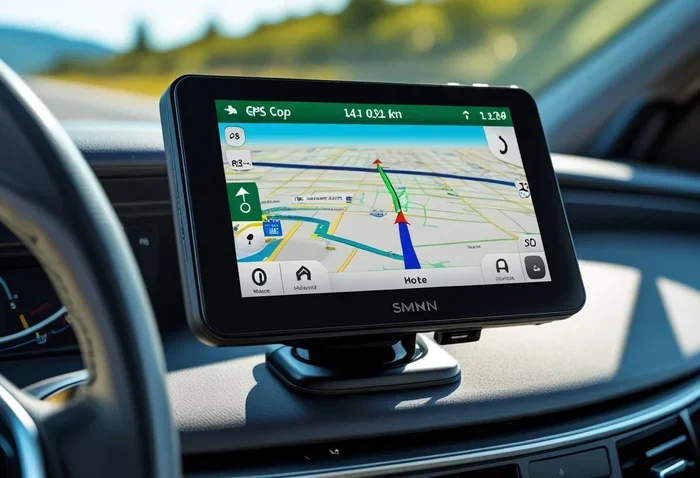
If your car does not have a built-in system, you can add one. Aftermarket units come in many shapes and sizes. Some are simple GPS devices like Garmin or TomTom. Others are full 7-inch car music system units with screens, Bluetooth, and navigation built in.
Most aftermarket GPS devices do not require a monthly fee. You buy the device once and use it forever. The maps may need occasional updates, but those are usually free or cost a small one-time fee. This makes aftermarket units a great choice for older cars or budget-conscious drivers.
Smartphone Navigation Apps
This is the most popular option today. Your phone is a powerful GPS device. Apps like Google Maps, Waze, Apple Maps, and Sygic give you turn-by-turn directions for free. All you need is a mount and a power source. A 12V to 230V car inverter can keep your phone charged even on the longest road trips.
Smartphone apps are completely free. No monthly payments. No subscriptions. No hidden fees. They also update constantly, so your maps are always current. For most drivers, this is all you need.
Do Built-In Car Navigation Systems Charge Monthly Fees?
The short answer is sometimes. But it is not as common as you might think. Let us look at the reality of factory navigation subscriptions.
In the past, car navigation systems were expensive add-ons. They cost thousands of dollars upfront. But they worked without any recurring fees. The maps were stored on a disc or a hard drive inside the car. You never needed a data connection.
Today, things have changed. Many modern cars connect to the internet. They offer live traffic updates, real-time weather, and streaming services. These connected features often require a subscription. But here is the key point: navigation itself is usually still free. The subscription pays for the connectivity, not the GPS function.
Which Car Brands Charge for Navigation?
Some brands are more subscription-happy than others. Here is a quick overview:
- BMW: Offers a free trial period, then charges for ongoing connected services. The basic navigation maps remain available.
- Mercedes-Benz: Has a pay-for-access model for live traffic and map updates in some regions.
- Tesla: Navigation is free with live traffic. No monthly fee required.
- Toyota and Lexus: Some models charge for connected services after the trial period ends.
- Ford: Offers a free trial for FordPass Connect, then charges for continued use.
Keep in mind that these fees vary by region and model year. Always check with your dealer before buying a car if navigation costs matter to you.
Free Navigation Alternatives That Work Great
You do not need to pay a single dollar to get excellent navigation. Here are the best free options available today.
Google Maps
Google Maps is the most popular navigation app in the world. It is free, reliable, and constantly updated. You get turn-by-turn directions, live traffic, and alternate routes. It also shows gas prices, restaurant reviews, and business hours.
Google Maps works offline if you download maps ahead of time. This is a huge advantage for road trips through areas with poor cell service. You can still get directions even without a data connection.
Waze
Waze is a community-driven navigation app. It gets real-time traffic updates from other drivers. If there is a speed trap, accident, or road closure ahead, Waze alerts you. It is completely free and runs in the background while you use other apps.
Waze is especially great for daily commuters. It finds the fastest route based on current traffic conditions. The more people use it, the better it gets.
Apple CarPlay and Android Auto
If your car supports Apple CarPlay or Android Auto, you can mirror your phone’s navigation app on the car screen. This gives you a big display with familiar controls. You use Siri or Google Assistant for voice commands. It feels almost like a built-in system.
Both Apple CarPlay and Android Auto are free. They work with any compatible phone. You just plug in your phone using a 12V car socket to 3 pin cable or connect via Bluetooth. No extra cost, no subscriptions.
Sygic and Here WeGo
Sygic and Here WeGo are excellent offline navigation apps. They offer full turn-by-turn directions without needing a data connection. Sygic has a free version with ads, and Here WeGo is completely free. Both are great options for international travel or areas with weak cell coverage.
What Does a Navigation Subscription Actually Cover?
If you are paying for a factory navigation subscription, what exactly are you getting? Let us break it down.
- Live traffic updates: The system reroutes you around congestion in real time.
- Map updates: New roads, changed speed limits, and updated points of interest.
- Concierge services: Some brands offer live assistance for finding restaurants, hotels, or attractions.
- Connected car features: Remote start, vehicle diagnostics, and emergency services.
Now, ask yourself this question. Do you really need all of that? Most free apps provide live traffic and map updates. Google Maps and Waze are very good at finding the fastest route. The concierge feature is nice but not essential for most drivers.
When a Subscription Might Be Worth It
There are situations where a paid navigation subscription makes sense. If you drive a luxury car and want the full connected experience, the fee may be worth it. If you travel frequently to unfamiliar areas and want the most accurate data, a subscription can help. But for the average daily commuter or weekend road tripper, free alternatives work just as well.
How to Save Money on Car Navigation
Saving money on car navigation is easier than you think. Here are practical tips that actually work.
Use Your Phone Instead
The simplest way to avoid navigation fees is to skip the built-in system entirely. Use your smartphone with a good dashboard mount. Phone navigation apps are free, up-to-date, and often more accurate than factory systems. A sturdy mount keeps your phone safe and visible while driving.
Download Offline Maps
Before a long trip, download offline maps in Google Maps or Waze. This way, you do not need a data plan to navigate. You save on data costs and still get full directions. This trick is especially useful for rural areas or countries with expensive roaming charges.
Check Your Car’s Trial Period
Many car brands offer a free trial for connected services. Use that trial period wisely. If you decide you do not want to pay after it ends, simply cancel. Your basic navigation will still work.
Upgrade an Older Car Affordably
If you drive an older car without any navigation, you can add it cheaply. A basic GPS device costs under $100 and never requires a monthly fee. Or, you can use your phone with a mount and a 12V to 230V car inverter for power. For a step up, an aftermarket 7-inch car music system with navigation adds value to your car without ongoing costs.
Skip Premium Features You Do Not Use
Many car subscriptions bundle navigation with features you may not need. If you never use the concierge service or remote start, there is no reason to pay for them. Check your car’s settings and turn off services you do not use. This can reduce or eliminate your monthly bill.
Common Mistakes People Make with Car Navigation
Avoid these common mistakes to get the most out of your car navigation system.
- Assuming all navigation costs money: Most free apps are just as good as paid systems.
- Ignoring offline map downloads: You will get lost in areas with no cell service if you do not prepare ahead.
- Paying for subscriptions you do not use: Review your car’s connected services and cancel what you do not need.
- Relying only on one app: Keep a backup navigation option. If your primary app fails, you need a plan B.
- Not updating maps regularly: Outdated maps can send you down roads that no longer exist or have changed speed limits.
- Mounting your phone incorrectly: A loose mount is a safety hazard. Always secure your phone properly before driving.
Expert Insights on Car Navigation Costs
Industry experts agree that the trend is moving away from paid navigation subscriptions. Car manufacturers are realizing that drivers prefer free, flexible options like smartphone apps. Many new car models now come with Apple CarPlay and Android Auto as standard features, which essentially replace the need for a paid factory navigation system.
“The days of paying monthly for basic navigation are fading fast,” says automotive analyst Sarah Mitchell. “Smartphone apps have set the standard. Most drivers do not need a factory system, and if they do, the free options work just as well.”
The car industry is also shifting toward connected car services that go beyond navigation. Features like remote vehicle monitoring, over-the-air software updates, and in-car entertainment are becoming the main subscription drivers. Navigation alone is rarely worth paying for anymore.
How Navigation Costs Compare: Factory vs. Free Apps
Let us put the numbers side by side. A factory navigation subscription might cost $15 per month. That is $180 per year. Over five years, you are looking at $900 or more. A smartphone navigation app? Zero dollars. You already own the phone. The app is free. The only cost is a mount, which runs about $15 to $30.
Even if you factor in data usage, navigation apps use very little data. A one-hour drive with Google Maps uses less than 10 MB of data. Most phone plans include unlimited data or at least enough to cover navigation without breaking the bank.
The comparison is clear. Free apps win on cost, flexibility, and features. Factory systems win on integration and screen size. But for most people, the free route is the smarter choice.
Final Thoughts: Do You Really Need to Pay?
So, do you have to pay monthly for navigation in a car? In almost every case, the answer is no. Modern technology has made navigation free and accessible for everyone. Whether you use Google Maps, Waze, Apple CarPlay, or a simple GPS device, you can navigate without spending a dime each month.
Factory navigation subscriptions exist, but they are becoming less necessary. The features they offer, like live traffic and map updates, are available for free through your phone. If your car does not have a built-in screen, an affordable aftermarket unit or a phone mount solves the problem completely.
The bottom line is this: do not let a salesperson pressure you into paying for something you do not need. Navigation in a car should be simple, reliable, and affordable. With the right setup, it can be all three. Take control of your car navigation, skip the monthly fees, and enjoy the drive.
Next time someone asks you, “Do you have to pay monthly for navigation in a car?” you will have the answer. And now you know exactly how to get great navigation without spending a single dollar each month.
Frequently Asked Questions
Do all cars with built-in navigation charge a monthly fee?
No, not all cars charge a monthly fee for navigation. Many factory navigation systems work without any subscription. The fee usually applies only to connected features like live traffic updates and map data services. Basic turn-by-turn directions are typically included at no extra cost.
Can I use Google Maps for free car navigation?
Yes, Google Maps is completely free for car navigation. You just need a phone, a dashboard mount, and a power source. Google Maps provides turn-by-turn directions, live traffic, and alternate routes without any monthly payment.
Is Apple CarPlay navigation free?
Yes, Apple CarPlay is free to use. It mirrors your iPhone’s navigation apps on the car screen. There are no monthly fees or subscriptions. You just need a compatible car and an iPhone with the latest iOS version.
What is the difference between factory navigation and phone navigation?
Factory navigation is built into the car’s system and may include a larger screen and deeper integration. Phone navigation uses apps like Google Maps or Waze on your smartphone. Phone apps are usually free, more frequently updated, and offer better real-time traffic data than most factory systems.
Do offline maps work without a data connection?
Yes, offline maps work perfectly without a data connection. You can download maps in Google Maps or Waze before your trip. The app will guide you using GPS alone, which does not require internet access. This is ideal for rural areas or international travel.
Are GPS navigation devices worth buying for older cars?
Yes, standalone GPS devices are worth buying for older cars that lack built-in navigation. They cost under $100, require no monthly fees, and provide reliable directions. Brands like Garmin and TomTom offer durable devices that work in any car.
=== CONCLUSION ===
Do you have to pay monthly for navigation in a car? The answer is a clear no for the vast majority of drivers. Free apps like Google Maps and Waze have made paid navigation subscriptions unnecessary. Whether you drive a new car with Apple CarPlay or an older model with a basic GPS device, you can navigate without spending a dime each month. The key is knowing your options and choosing the setup that works best for you. Skip the fees, use your phone, and enjoy the freedom of smart, free navigation on every trip.