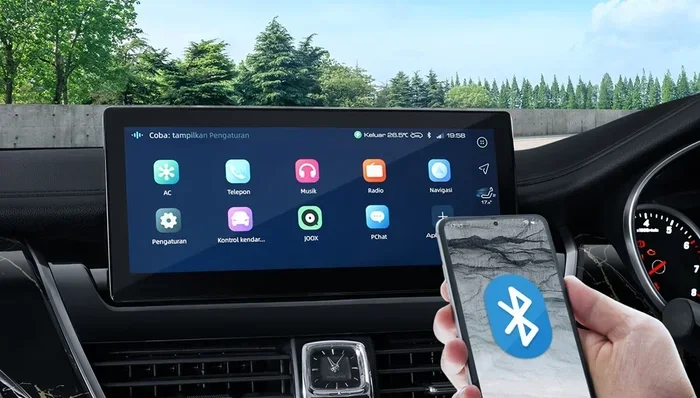
How Do I Pair a New Bluetooth Device to My Car Made Simple
Pairing a Bluetooth device to your car is easier than you think. This guide walks you through every step, from turning on Bluetooth to troubleshooting common issues. You will learn how to connect your phone, stream music, and make hands-free calls safely.
Have you ever gotten into your car and wished you could just connect your phone without fumbling with wires? Bluetooth pairing makes that possible. It lets you stream music, take calls, and use navigation apps all without touching your phone.
Whether you drive a sedan or an SUV, pairing a Bluetooth device to your car is a skill everyone should have. It takes only a few minutes once you know the steps. This guide breaks it all down in plain language so anyone can follow along.
We will cover everything from turning on Bluetooth to fixing problems when things do not work. By the end, you will feel confident connecting any device to your car. Let us get started.
Key Takeaways
- Bluetooth pairing is simple: Just turn on Bluetooth, select your car, and confirm the connection.
- Most cars made after 2012 have built-in Bluetooth support for seamless wireless connection.
- Common issues like pairing failure can usually be fixed by resetting Bluetooth settings on both devices.
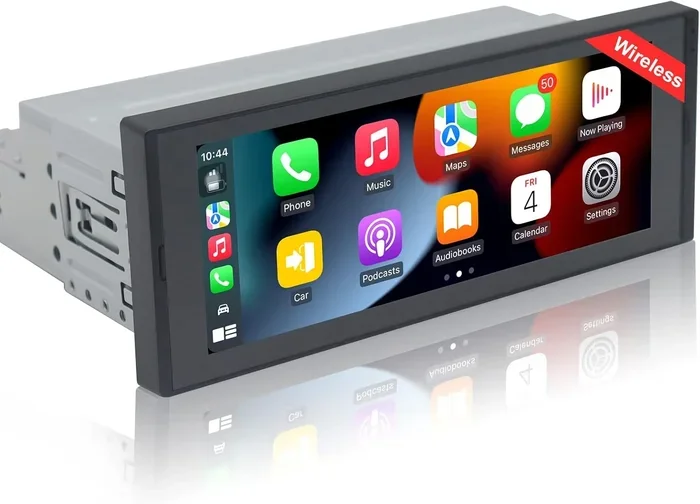
- A 7-inch car music system can make Bluetooth setup even easier with a clear touchscreen interface.
- Keep your devices updated to ensure the best compatibility and strongest signal range.
📑 Table of Contents
- What Is Bluetooth Pairing and Why Does It Matter?
- How to Prepare for Bluetooth Pairing
- Step-by-Step Guide to Pairing a New Bluetooth Device
- Common Bluetooth Pairing Problems and How to Fix Them
- How to Pair Multiple Devices to Your Car
- Bluetooth and Car Audio Upgrades
- Safety Tips for Using Bluetooth While Driving
- Frequently Asked Questions
- Conclusion
What Is Bluetooth Pairing and Why Does It Matter?
Bluetooth pairing is the process of linking two devices wirelessly so they can share information. In your car, this means connecting your phone to the car stereo or infotainment system. Once paired, your devices remember each other and connect automatically next time you get in.
This technology has changed how we use car audio. No more aux cables or FM transmitters cluttering your dashboard. A wireless connection gives you freedom and convenience every time you drive.
Here is why Bluetooth pairing matters:
- Hands-free calling keeps your eyes on the road and hands on the wheel.
- Wireless audio streaming lets you play any song from your phone through your car speakers.
- GPS navigation works seamlessly through your car speakers so you can hear directions clearly.
- No messy cables means a cleaner dashboard and less clutter.
Most car infotainment systems made after 2012 support Bluetooth. If your car is older, you can still add Bluetooth with a simple adapter. The Bluetooth version on your device matters too. Newer versions like Bluetooth 5.0 offer a stronger signal and better range, which means fewer dropouts while driving.
How to Prepare for Bluetooth Pairing
Before you start pairing, a little preparation goes a long way. Taking these simple steps saves time and avoids frustration.
Check Your Car’s Bluetooth Capability
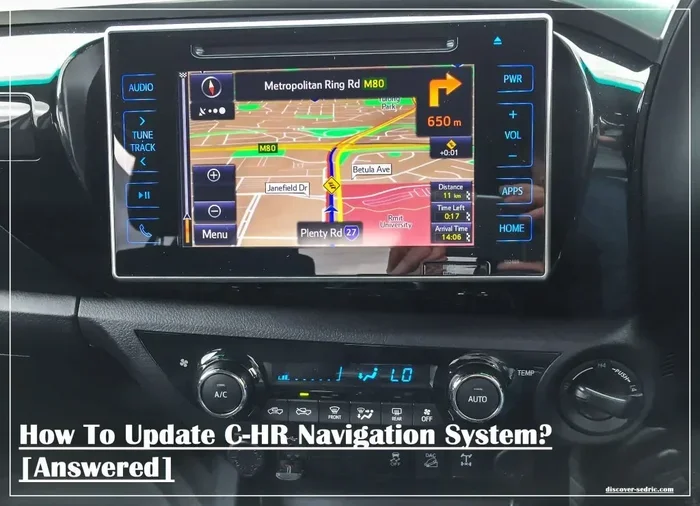
First, find out if your car has built-in Bluetooth. Look for the Bluetooth symbol on your car stereo or in the settings menu. Most modern vehicles show a Bluetooth icon on the display screen. If you have a 7-inch car music system, the Bluetooth option is usually right on the home screen.
If your car does not have Bluetooth built in, do not worry. You can buy a Bluetooth car adapter that plugs into your 12V car socket to 3 pin adapter or USB port. These adapters are affordable and work with almost any car.
Make Sure Your Phone Is Ready
Your phone needs to be ready too. Here is a quick checklist:
- Turn on Bluetooth in your phone settings.
- Update your phone software to the latest version.
- Restart your phone if you have had connection issues before.
- Charge your phone so the battery does not die during setup.
Clear Old Pairings
If you have paired other devices before, clear the old connections. Too many saved devices can cause Bluetooth troubleshooting headaches. Go to your phone’s Bluetooth settings and remove any devices you no longer use. Do the same on your car’s system if it has a paired device list.
Step-by-Step Guide to Pairing a New Bluetooth Device
Now for the main part. Follow these steps carefully and you will be connected in no time.
Step 1: Turn on Bluetooth in Your Car
Go to your car’s settings menu and find the Bluetooth option. On most systems, you will see a toggle switch. Turn it on and set the car to pairing mode. This makes your car visible to nearby devices. Some cars call this “discoverable mode.”
You may see a message that says “Searching for devices” or “Pairing mode is on.” This means your car is ready to connect.
Step 2: Turn on Bluetooth on Your Phone
Open your phone’s settings and tap Bluetooth. Make sure the switch is turned on. Your phone will start scanning for nearby devices. Wait a few seconds and you should see your car’s name appear in the list.
Tip: If you do not see your car, make sure you are within Bluetooth range. Most devices work within 30 feet. Get closer to the car if needed.
Step 3: Select Your Car from the List
Tap on your car’s name when it appears. Both devices will now try to connect. You may see a pairing code on your car’s screen. Check if the same code appears on your phone.
If the codes match, tap “Pair” or “Connect” on your phone. Some cars auto-connect once you tap on them. Wait a few seconds for the connection to establish.
Step 4: Test the Connection
Once paired, play some music on your phone. You should hear it coming through your car speakers. Try making a call to test the hands-free calling feature. If both work, you are all set!
Quick Tips:
- Volume matters: Turn up your car volume before playing music. This avoids a sudden loud blast.
- Check audio output: Make sure your phone is set to output audio through Bluetooth, not the phone speaker.
- Repeat if needed: If the first attempt fails, turn Bluetooth off and on again on both devices.
Common Bluetooth Pairing Problems and How to Fix Them
Even when you follow every step, things can go wrong. Here are the most common issues and how to solve them.
Device Not Showing Up in the List
This is the most common Bluetooth troubleshooting problem. Your car or phone may not be visible to the other device. Try these fixes:
- Restart Bluetooth on both devices.
- Move closer to the car. You should be within 10 feet for the initial pairing.
- Check if the car is in pairing mode. Some systems need you to hold the Bluetooth button for a few seconds.
- Remove old pairings from both devices and try again.
Paired But No Sound
Sometimes the devices connect but you hear nothing. This usually happens because the audio output is set wrong. On your phone, go to Bluetooth settings and make sure the media audio option is turned on for your car. Also check that the car’s volume is up and not muted.
Connection Keeps Dropping
If your connection drops frequently, the Bluetooth range might be the issue. Stay within range and avoid placing your phone in the glove box. Interference from other wireless devices can also cause dropouts. Try turning off Wi-Fi on your phone temporarily to see if that helps.
Paired Device Won’t Connect Automatically
Your phone and car should auto-connect after the first pairing. If they do not, go to your phone’s Bluetooth settings and check if “auto-connect” is enabled. On the car side, make sure the device is set as a trusted or favorite connection.
How to Pair Multiple Devices to Your Car
Many people share a car with a spouse or family member. Good news: most car stereo systems can remember multiple paired devices. Here is how it works.
First, pair your phone using the steps above. Then, have the second person pair their phone the same way. The car will save both connections. When you start the car, it usually connects to the last device used or the one marked as primary.
Pro tip: Some cars let you choose which device connects when you start the engine. Check your car’s manual or settings menu for this option. A 6 channel car amplifier paired with a good Bluetooth setup can deliver excellent sound quality for all passengers.
Bluetooth and Car Audio Upgrades
If your car does not have great car audio, Bluetooth pairing is a great reason to upgrade. A modern car entertainment system with Bluetooth 5.0 offers crystal-clear sound and a stable connection.
Consider upgrading your car amplifier to get the best sound from your wireless connection. A 4 channel car amplifier powers all four speakers evenly and makes music sound richer through Bluetooth streaming.
For those who love a cleaner setup, a 7-inch car music system with built-in Bluetooth is a fantastic upgrade. These systems replace your old stereo and come with modern features like touchscreens, USB inputs, and wireless connectivity. They make Bluetooth pairing even simpler with a user-friendly interface.
Your power connection also matters. Make sure your 12V car socket to 3 pin adapter is working properly so your Bluetooth adapter or charger stays powered while driving.
Safety Tips for Using Bluetooth While Driving
Bluetooth is all about convenience and safety. But you still need to use it wisely. Here are some important safety tips:
- Set up your device before driving. Do not try to pair your phone while on the road.
- Use voice commands when possible instead of tapping your phone screen.
- Keep your phone charged so Bluetooth does not die mid-trip.
- Limit the number of paired devices to avoid confusion and accidental connections.
- Use a hands-free calling setup to stay legal and safe in areas with hands-free driving laws.
Remember, Bluetooth is a tool to help you drive safer, not a reason to be more distracted. Keep your eyes on the road and let your wireless connection handle the rest.
Frequently Asked Questions
How long does it take to pair a Bluetooth device to a car?
Most pairings take less than two minutes once both devices are ready. The first connection might take a bit longer if you need to update settings or clear old pairings. After that, your devices will connect automatically every time you get in the car.
Can I pair a Bluetooth device to any car?
Most cars made after 2012 have built-in Bluetooth support. If your car is older, you can still add Bluetooth using a simple adapter that plugs into your 12V car socket to 3 pin port. These adapters are inexpensive and work with virtually any vehicle.
Why won’t my phone find my car’s Bluetooth?
This usually happens when one or both devices are not in pairing mode. Make sure your car’s Bluetooth is turned on and set to discoverable. Also check that your phone’s Bluetooth is active and that you are within 30 feet of the car. Restarting both devices often fixes this issue.
Can I connect more than one phone to my car’s Bluetooth?
Yes, most car infotainment systems can remember multiple paired devices. Each person can pair their own phone, and the car will usually connect to the last device used. Some systems let you manually select which phone to connect to from the Bluetooth menu.
Is Bluetooth safe to use while driving?
Absolutely. Hands-free calling through Bluetooth is designed to keep your hands on the wheel and eyes on the road. Many countries now require hands-free devices for phone calls while driving. Just remember to use voice commands and avoid tapping your phone screen while the car is moving.
What should I do if the Bluetooth connection keeps dropping?
First, check that both devices are within range. Interference from other wireless devices or even your phone case can weaken the signal. Restart Bluetooth on both devices, update your phone software, and delete old pairings before trying again. If the problem persists, your car’s Bluetooth hardware may need a reset or update.
Conclusion
Pairing a new Bluetooth device to your car is one of the simplest upgrades you can make. It takes just a few minutes and transforms how you use your phone on the road. From wireless audio streaming to hands-free calling, the benefits are real and immediate.
Remember to prepare both devices, follow each step carefully, and troubleshoot gently if something goes wrong. Keep your car stereo and phone updated for the best experience. And if your car is older, a Bluetooth adapter or a new 7-inch car music system can bring modern connectivity to any vehicle.
Now that you know how easy this process is, there is no reason to stay wired. Connect your phone today and enjoy the freedom of a wireless connection every time you turn the key. Safe driving and happy streaming!